Image → image
Open the full StudioImage to image. Guide the edit.
Add a picture, say what to change and keep what matters: the face, the product, the pose. Pick one of 14 image models; the button shows the credits first.
Input A pictureOutput ImageAuto 4 credits
 Sample
Auto → GPT Image 2.5: Passed 12 of 12 in our blind test of text-to-image, at the lowest price.
Add your photo first: Generate unlocks once it is in.
6 credits when you sign up.Open the full Studio
01 · Samples and style references
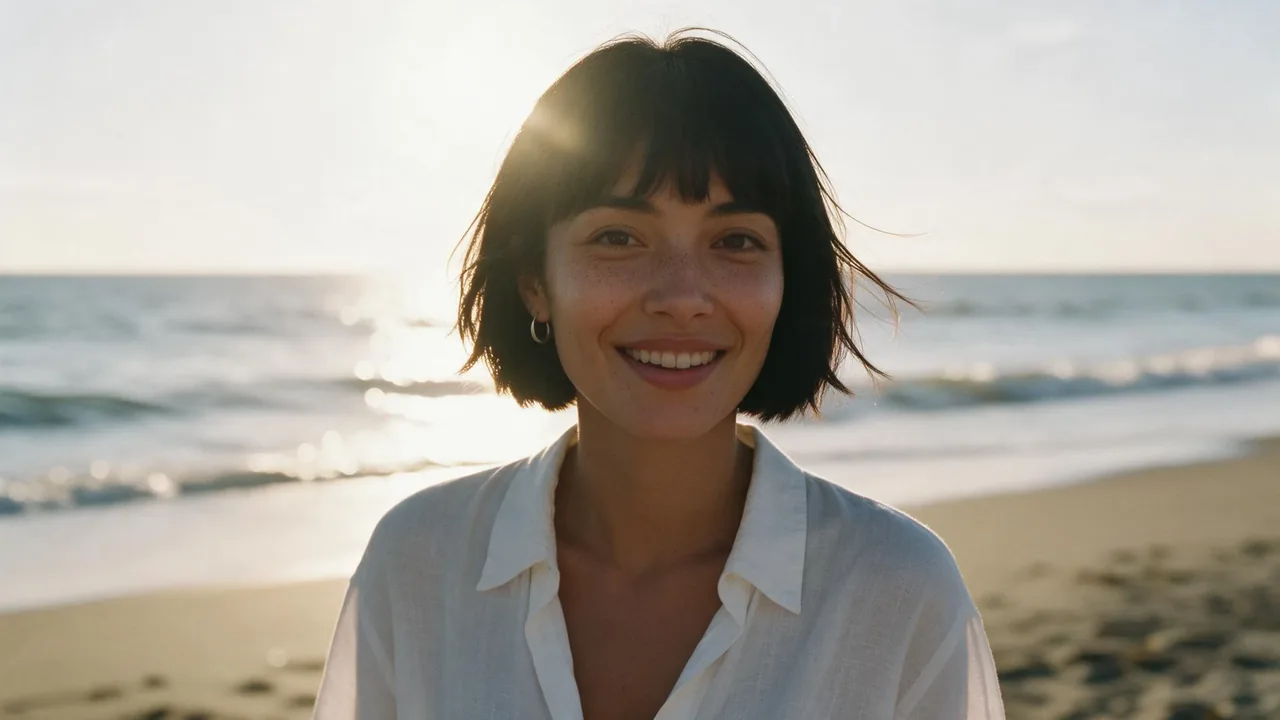
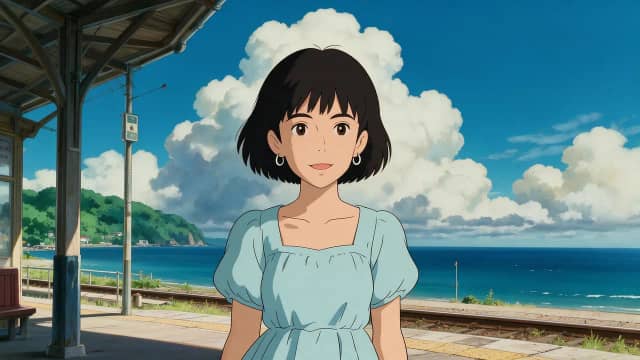
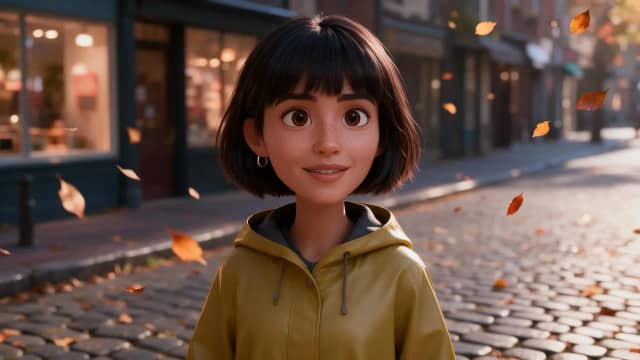
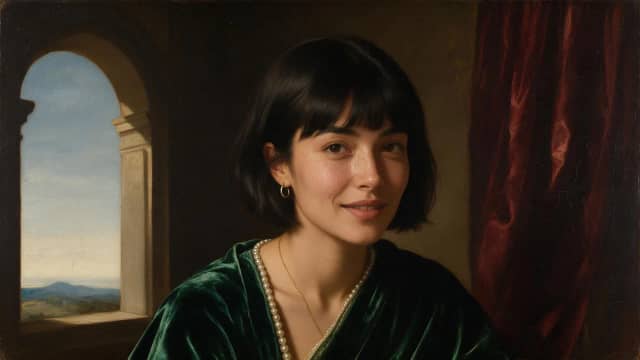
Edits that keep the thread.
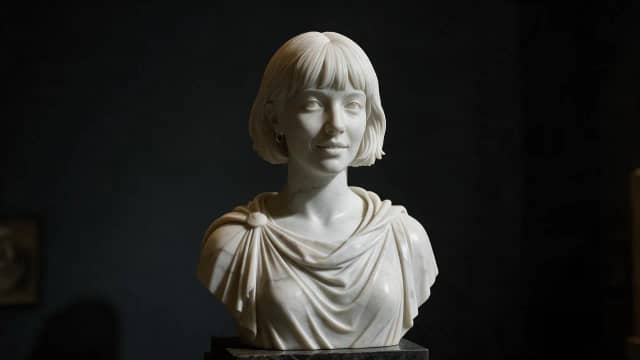
Seven edits made on Eidora from one photo, each labeled with its model. None was made on this page.


02 · How it works
Ref. Prompt. Print.
Your picture is the starting point. The words say what changes.
Add a reference
Up to four pictures, depending on the model: the photo to edit, plus any you want it to borrow from. JPG, PNG or WebP, up to 10 MB.
Say what changes
Name what stays and what moves: “keep her face, change the jacket to red leather”. Pick a model, from 2 to 15 credits.
Generate & iterate
The edit lands under the box and in your History. Say what to change next, and it edits that result.
What it is
What is image to image on Eidora?
Image to image makes a new picture from one you already have. You upload a photo and describe the change, and the model keeps the parts you did not mention: a new background behind the same person, the same product in a different color, a photo turned into a painting, a room with new furniture. It is editing with words instead of tools.
Image to image on Eidora runs in the box at the top of this page and in the full image Studio, with the same models and the same prices. Most models take up to four pictures, so you can combine a photo with a second picture to borrow from, for example a face and an outfit. Auto is the default and picks the model that edited best in our blind tests.
A new account gets 6 credits at sign-up, and they do not expire. 9 of the models here cost 4 credits or less and run on them; the rest need a plan or a credit pack. Every price is printed on the Generate button before you press it. Until an account has paid, its pictures carry a small eidora.io watermark; Pricing has the details.
If you want a picture from nothing, use text to image. If the edited picture should move, image to video uses it as the first frame of a clip.
03 · Use cases
Where image to image earns.
Outfits and styling
Try a new jacket, hair color or makeup on the same person without a new photo shoot.
Backgrounds and places
Put the same product or person in a studio, a kitchen or a beach, with the light matched to the scene.
Styles and art
Turn a photo into a watercolor, an anime frame or a vintage print while it stays recognisable.
Fixes before a video
Clean up or restyle a still first, then bring it to life with image to video.
04 · Models
Models that respect a reference.
Every model here edits from your picture. The prices are the ones the Generate button charges with a picture added.
Image
GPT Image 2.5
Follows your words most closely
4 creditsImage
Nano Banana 2.1
Edits that keep faces and details
8 credits · Plan or packImage
Seedream 5
Photo-real looks, rich color
4 creditsImage
FLUX Kontext Pro
Careful edits to one photo
4 creditsAll 14 models in this mode
- FLUX 3 Klein2 credits
- Seedream 5 Flash2 credits
- FLUX Kontext Pro4 credits
- GPT Image 24 credits
- GPT Image 2.54 credits
- Grok Imagine Image 24 credits
- Nano Banana 2 Lite4 credits
- Seedream 4.54 credits
- Seedream 54 credits
- FLUX Kontext Max8 credits
- Nano Banana 28 credits
- Nano Banana 2.18 credits
- Qwen Image 38 credits
- Nano Banana Pro15 credits
Guide
Guided AI image edits from a reference: craft, credits, privacy
Start from the right picture
The model can only keep what it can see, so the source picture matters. For a person, use a sharp photo with the face well lit and not too small in the frame. For a product, a clear picture where the label and the shape are easy to read. If the photo is small or soft, the AI image enhancer can sharpen it first.
Extra pictures are for borrowing: an outfit from a second photo, a style from a painting, a background from a place. Most models take up to four, and FLUX Kontext works on one photo at a time. Each extra picture should have a clear job; mention it in the prompt, for example “wearing the jacket from the second picture”.
Write the edit, not the picture
A good image to image prompt says what changes and what stays: “Keep her face and pose. Change the background to a sunny street café, warm afternoon light.” You do not need to describe the whole picture again; the model already sees it. The more exact the change (a color name, a material, a time of day), the fewer tries you need.
Big changes work best in steps. Change the background first, then edit that result to change the outfit, then the light. Under each result you can say what to change next, and it edits that result instead of starting again from the original.
Choose the model and see the price
Auto picks the model that edited best on your kind of picture in our tests. GPT Image 2.5 follows your words most closely. Nano Banana 2.1 keeps faces and details through an edit. Seedream 5 gives photo-real looks and rich color, and FLUX Kontext Pro makes careful edits to one photo. Every model has a page with a sample under AI models.
Prices run from 2 to 15 credits per picture in this mode. Models priced at 4 credits or less run on the free credits; the others need a plan or a pack. A run that fails is refunded automatically, and the watermark goes away once an account has paid. See Pricing and Help.
Privacy and your photos
Use pictures you have the right to edit: yourself, your products, people who agreed. Pictures you upload are deleted automatically 30 days after upload and are never used to train AI models; the Privacy policy has the details.
Your edits are saved to your History, where you can view and download them. For one fixed job, such as a background change or a cartoon of your photo, the single-purpose tools do it in one step.
05 · Questions
Mode questions. Straight answers.
Is image to image free on Eidora?
Image to image on Eidora starts with 6 credits for every new account, and they do not expire. Models priced at 4 credits or less run on them. Higher-priced models need a plan or a credit pack; see Pricing.
How many pictures can I add?
Up to four on most models, JPG, PNG or WebP, up to 10 MB each. FLUX Kontext Pro and Max edit one photo at a time.
Will the person still look like themselves?
Usually, if the face is clear and you say “keep the face”. Nano Banana 2.1 is built to keep faces and details through an edit. Small or blurry faces are where likeness slips.
Does it cost the same as text to image?
Often, but not always: image to image on Eidora prices some models differently with a picture added. The Generate button shows the price with your picture added, from 2 to 15 credits in this mode.
Can I keep editing the result?
Yes. Under each result, say what to change next and it edits that result. You can also turn the picture into a clip with image to video.
What happens to my uploaded photos?
They are deleted automatically 30 days after upload and are never used to train AI models. Your edits are saved to your History.
Explore
Keep creating. Same studio.
Ready
Add the ref. Guide it.
The composer is at the top of this page. The price is on the button, and failed runs are refunded.