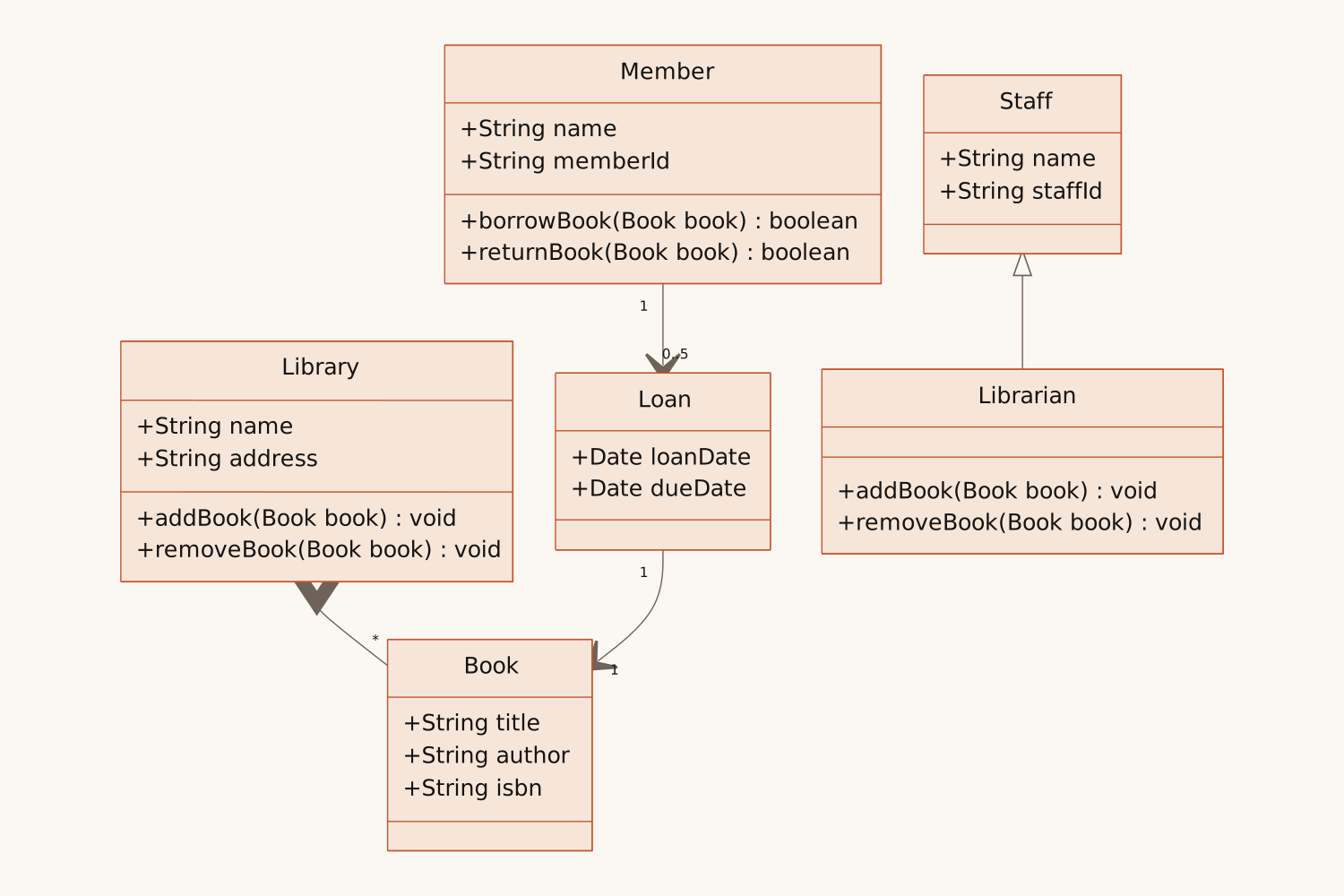
Write how your classes relate, how a request moves between services, or how an order changes state, and AI draws the matching UML diagram: a class, sequence or state diagram in standard notation.
<30s
per diagram
0
boxes to drag
3
UML diagram types
PNG SVG
plus Mermaid code
1
free try; sign up free to download
What Is This
A UML diagram, drawn from your words or your code
UML (Unified Modeling Language) is the standard set of diagrams for describing software. A class diagram shows the classes of a system with their fields, methods and relationships; a sequence diagram shows the messages between people and systems in the order they happen; a state diagram shows how one thing moves between states. Teams draw them for design reviews and documentation, and software engineering courses ask for them in almost every assignment.
Here you describe the system in plain words, give just a topic such as "library system", or paste your code. AI picks the diagram type from your words, or uses the one you name, and draws it in standard UML notation: visibility, multiplicity, inheritance and composition, alt and loop blocks, start and end states. From code it draws your classes, fields and methods as written.
Real Use Cases
Who uses this — and how
UML Diagram Generator
Feature design → Class diagram
Describe the classes…
Fields, methods, relationships
Developers & architects
Turn a feature description into classes, their fields and methods and how they relate, ready to discuss in a design review or paste into the docs.
UML Diagram Generator
API flow → Sequence diagram
Describe the calls…
Messages in order, alt and loop
Backend engineers & tech writers
Describe the calls between the app, your services and third parties, with the error branches and retries, and get the sequence diagram for the spec.
UML Diagram Generator
Course assignment → UML for class
Paste the case or code…
Class, sequence or state diagram
Students & teachers
Paste a case study or your own code and get a class, sequence or state diagram to check your design against.
How It Works
Describe. Generate. Build.
01
Describe your system
Write the classes and how they relate, the calls between services, or the states something goes through. Or paste your code.
02
AI draws the UML diagram
AI picks a class, sequence or state diagram from your words, or the one you name, and draws it in under 30 seconds.
03
Export or keep editing
Download PNG or SVG, copy the Mermaid code into GitHub, Notion or your docs, or open the diagram in draw.io, where it becomes editable UML shapes.
Why Eidora
Built for software design
Three diagrams in one box
Name the diagram you want, or just describe: things with properties become a class diagram, calls between parties a sequence diagram, and something moving between states a state diagram.
Standard UML notation
Visibility, multiplicity on both ends, inheritance, interfaces, aggregation and composition, alt and loop blocks, and start and end states, drawn the way textbooks draw them.
Fits where you already work
PNG for slides, SVG for docs, Mermaid code for GitHub and Notion, and draw.io when you want to move the boxes by hand.
UML (Unified Modeling Language) is the standard set of diagrams for describing software. The most used are class diagrams (classes, their fields and methods, and how they relate), sequence diagrams (the messages between people and systems, in order) and state diagrams (the states one thing moves through).
Yes. Describe your system in plain words, give a topic, or paste code, and Eidora’s AI draws the diagram in standard UML notation in under 30 seconds.
Class diagrams, sequence diagrams and state (state machine) diagrams. It does not draw use case, component or deployment diagrams. For an activity diagram, the AI flowchart generator draws the same steps and decisions.
Yes. Paste your classes and ask for a class diagram: it shows those classes with their fields, methods, interfaces and inheritance as written. Keep it to about 12 classes per diagram.
If you name the type (class diagram, sequence diagram, state diagram), it draws that one. Otherwise it reads your words: things with properties and how they relate become a class diagram, requests and replies between parties a sequence diagram, and one thing moving between states on events a state diagram. A topic alone, such as "library system", gets a class diagram.
The parts and how they connect, in your own words. For a class diagram: the classes, what each has and how they relate ("a member can borrow up to 5 books"). For a sequence diagram: who sends what to whom, in order, with the if/else cases. For a state diagram: the states and the event that moves between them.
Yes. Class, field and method names stay in English, as in code, and the diagram adds class names, messages, states and labels in your language.
Yes. Press "Edit in draw.io" to open the diagram in draw.io, where class, sequence and state diagrams become editable UML shapes. You can also refine your text and generate again, or copy the Mermaid code into Mermaid Live, GitHub, Notion or any Markdown editor that supports it.
PNG for presentations and documents, SVG for scalable graphics, and Mermaid code for GitHub, Notion, and any Markdown editor that supports it.
About 12 classes, 6 participants with 24 messages, or 14 states per diagram, on every plan. For a bigger system, split it by area and make one diagram for each.
Permitted uses depend on your input rights, applicable law, and the selected third-party model or provider terms. Verify those terms before publishing client deliverables or documentation.
Not to try it. You can make one diagram a day without an account and see the result. To download the UML diagram, copy the Mermaid code or open it in draw.io, sign up free: a free account gets 16 credits to start and 4 free credits every day, and each diagram uses 4 credits. Without an account, Eidora’s diagram tools share that one diagram a day. Download the diagram when it is ready; it is not saved to your history.