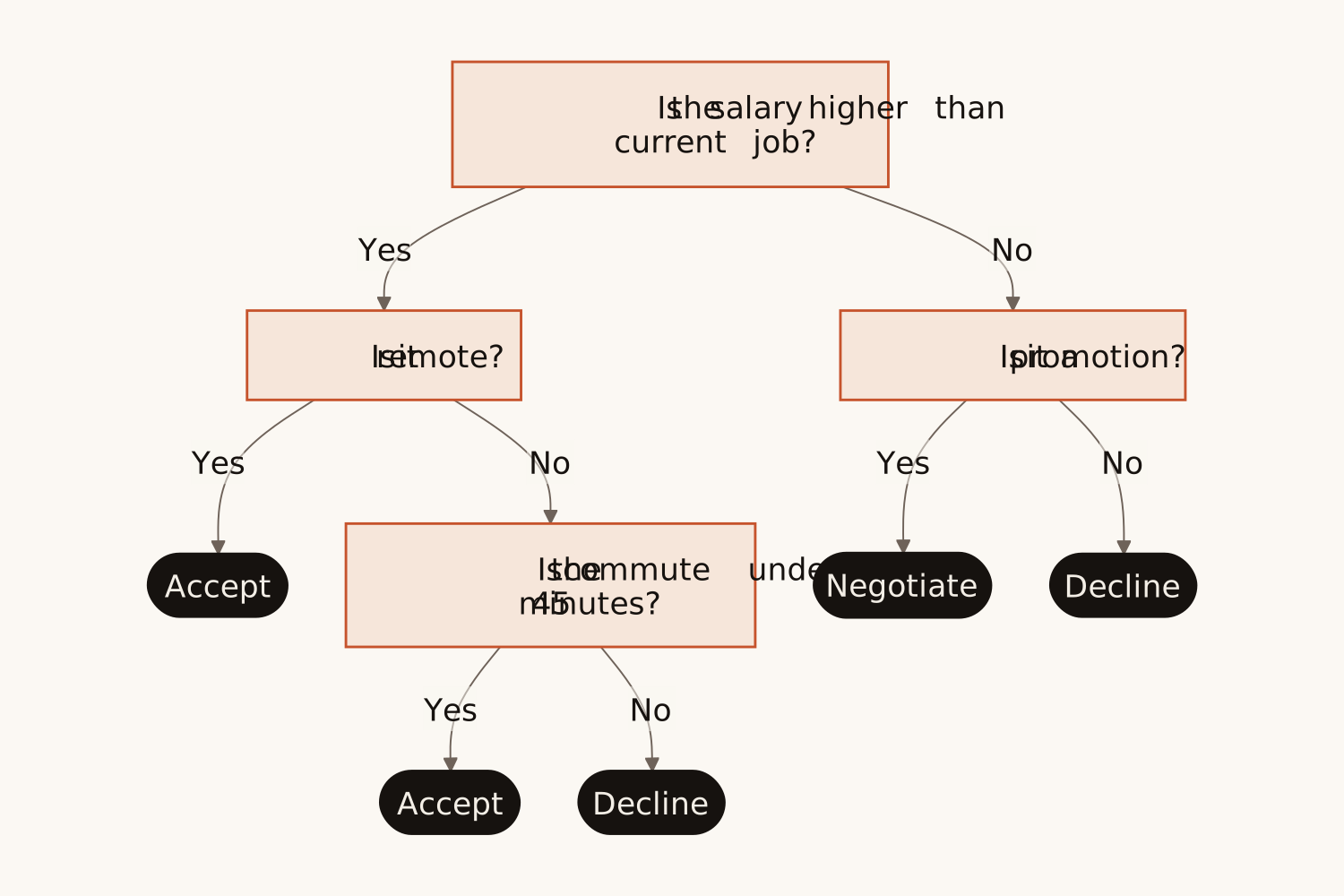
Write the questions, the answers and where each one leads, and AI draws a clean decision tree. Probabilities and costs you give stay on their branches.
<30s
per tree
0
boxes to drag
~25
boxes per tree
PNG SVG
plus Mermaid code
1
free try; sign up free to download
What Is This
A decision tree, drawn from your own words
A decision tree starts with one question and splits on each answer, question after question, until every path ends in an outcome: a choice, a result or a category. It is the simplest way to lay out a decision so that anyone can follow it.
Most decision tree makers hand you a blank canvas and a box to drag for every branch. Here you write the decision the way you would explain it to a colleague, and AI finds the questions, puts each answer on its own branch and ends every path in an outcome. It draws only what you wrote: no extra criteria, no invented numbers.
Real Use Cases
Who uses this — and how
Decision Tree Generator
Job offer → Accept, negotiate or decline
Write what matters to you…
Every outcome on one page
Anyone weighing a choice
Salary, remote work, the commute, a promotion: write what matters and in what order, and see every path to its outcome on one page instead of going round in circles.
Decision Tree Generator
Launch or wait → Odds and payoffs
Give the chances and the money…
Branches with probabilities
Founders, product managers & analysts
Give the chances and the money at stake, and they appear on the right branches, ready for a deck or a decision memo. Nothing is added or calculated for you.
Decision Tree Generator
Support playbook → Troubleshooting tree
Paste the troubleshooting steps…
One question at a time
Support & IT teams
Turn a troubleshooting script into a tree that new agents can follow one question at a time, so every customer gets the same answers.
How It Works
Describe. Generate. Decide.
01
Describe the decision
Write the first question, the possible answers and what each one leads to: another question or an outcome. Add probabilities or costs if you have them.
02
AI draws the tree
AI turns each question into a box, puts every answer on its own branch and ends each path in an outcome, top to bottom, in under 30 seconds.
03
Export or keep editing
Download PNG or SVG for decks and docs, copy the Mermaid code into Notion or GitHub, or open the tree in draw.io to change it by hand.
Why Eidora
Built for clear decisions
Only your branches
The tree has the questions, answers and outcomes you wrote, and nothing else. Give only a topic and you get the usual tree for that decision, without invented names or numbers.
Readable at a glance
Questions sit in light boxes, the answers run along the branches and every path ends in a dark outcome box, so where each path leads stands out.
Fits where you already work
PNG for slides, SVG for Figma, Mermaid for Notion and GitHub, and draw.io when you want to move the boxes by hand.
A diagram that starts with one question and splits on each possible answer, question after question, until every path ends in an outcome. It is used to make a choice, to sort things into categories, or to troubleshoot a problem step by step.
Yes. Describe the decision in plain words and Eidora's AI draws the tree: one box per question, one branch per answer and an outcome at the end of every path. It keeps to what you wrote.
The decision in plain words: the first question, its possible answers, and what each answer leads to, either another question or an outcome. Yes/no questions, several options ("Under $500", "$500 to $1,000", "Over $1,000") and questions inside questions all work. Rough notes are fine.
A flowchart shows a process step by step and can loop back, for example "fix it and submit again". A decision tree only branches, from one question down to its outcomes, with no loops. For a process with steps and loops, use the AI Flowchart Generator.
Yes. Write them in your text, such as "60% chance of strong demand, profit $500k", and they appear on the branch or outcome they belong to. The generator never invents numbers and does not calculate expected values; work those out from the numbers on the tree.
The three examples above the box are ready-made texts: pick one, change it to fit your case and generate. You can also write just a topic, such as "rent or buy a home", and get the usual tree for that decision to start from.
Yes. Press "Edit in draw.io" to open the tree in draw.io as shapes you can move, restyle and add to. You can also refine your text and generate again, or copy the Mermaid code into Mermaid Live, Notion or any Markdown editor that supports it.
PNG for presentations and documents, SVG for scalable graphics and Figma, and Mermaid code for Notion, GitHub, and any Markdown editor that supports it.
About 25 boxes per tree, on every plan. For a bigger decision, make one tree for the first questions and a separate tree for each large branch.
Permitted uses depend on your input rights, applicable law, and the selected third-party model or provider terms. Verify those terms before publishing client deliverables or documentation.
Not to try it. You can make one diagram a day without an account and see the result. To download the tree, copy the Mermaid code or open it in draw.io, sign up free: a free account gets 16 credits to start and 4 free credits every day, and each tree uses 4 credits. Without an account, the decision tree, flowchart, mind map and infographic makers share that one diagram a day. Download the tree when it is ready; it is not saved to your history.
From going round in circles to one clear page
Describe the decision. Get the tree.
Free to try · No boxes to drag · PNG, SVG or Mermaid