Bob Cut Filter
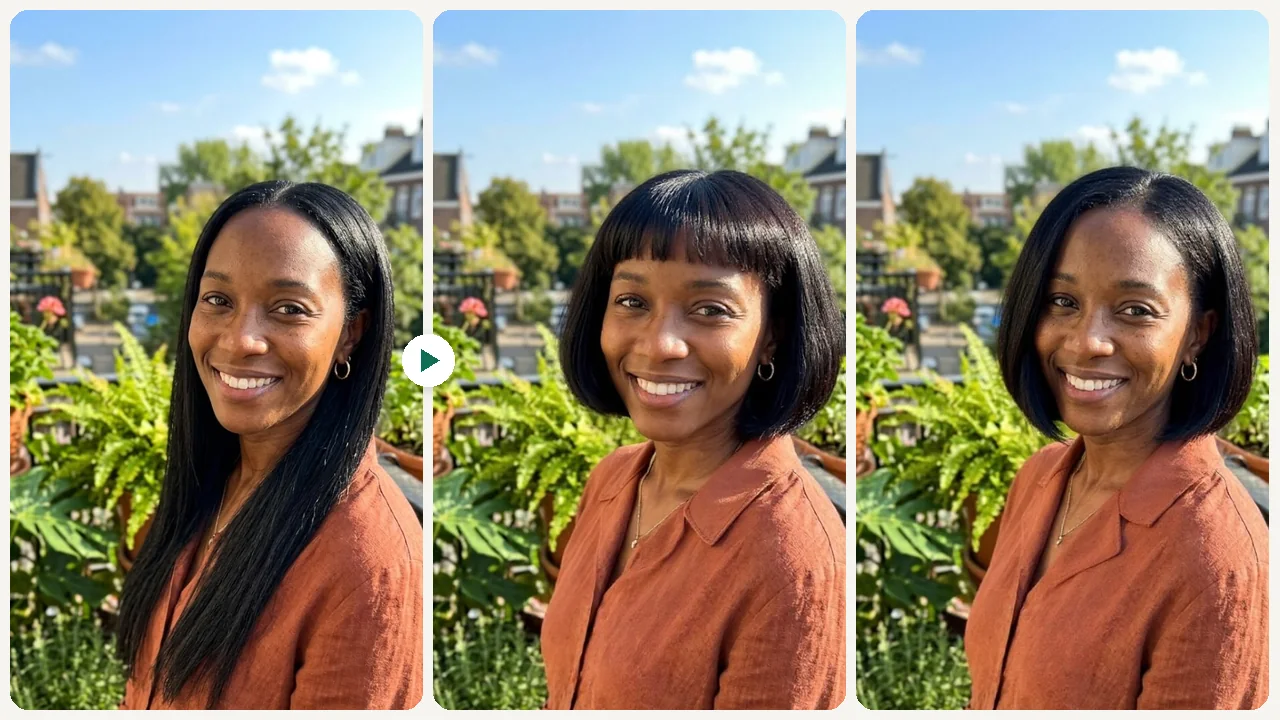
Test classic bob, blunt bob, layered bob, French bob, and A-line bob styles on your own photo with realistic AI previews.

Preset route
Choose the public starting point before you open Studio
Or choose a popular preset:
Sample compare
See the promise before you move into execution
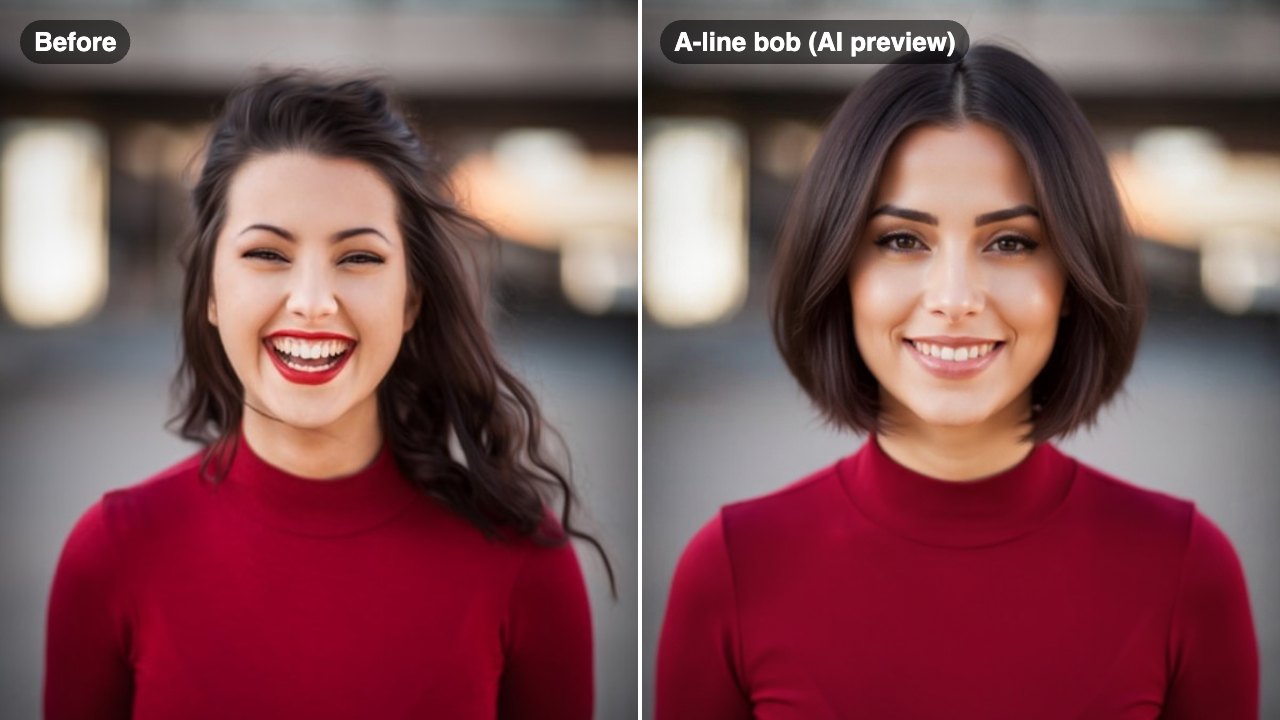
Before
AfterTry a Bob Cut on Your Photo — Instantly example result
The public page explains the workflow. `/studio` remains the execution layer.
Sample Results
See what this tool can do with real photos.
Before
AfterTry a Bob Cut on Your Photo — Instantly example result
User Reviews
Based on 1,240 reviews
Kate L.
Fashion Editor
"We used it for a "celebrity hairstyle on you" feature in our magazine app. Readers could try looks from our editorial shoots."
Maria A.
Beauty Blogger
"Screenshotted 10 different bob variations and brought them to my stylist. She said it was the clearest reference a client ever gave her."
Ryan J.
College Student
"Convinced myself to get the undercut after seeing the preview. The AI version looked close enough to the real thing that I trusted it."
What Is Bob Cut Filter?
A bob cut filter lets you upload a selfie and see exactly how different bob variations — classic, blunt, layered, or French — look on your face shape before booking your next haircut.
Why Choose This Tool
Find the Right Bob for Your Face
A blunt bob looks different from a French bob. Test each variation on your actual face before committing to any length or cut.
See How Length Affects Your Look
Bob cuts vary from chin-length to jaw-length. Previewing helps you pick the length that best frames your features.
Arrive at the Salon Prepared
Download your preview and show it to your stylist so they know exactly what you have in mind.
Is a Bob the Right Cut for Your Face Shape?
The bob is one of the most popular haircuts in the world — but not every bob works on every face. A blunt bob can look sharp on some faces and harsh on others. A French bob might feel perfect or feel too short. Without seeing it first, you're relying on guesswork. The bob cut filter puts the actual look on your face so you can judge for yourself.
How It Works
Upload Your Selfie
Upload a clear front-facing photo with your hair and face visible.
Choose a Bob Style
Pick from classic, blunt, layered, French, or A-line bob styles.
Preview & Download
Review your bob cut preview and download the result to share with your stylist.
Who Is This For?
Popular use cases for this tool.
Pre-Salon Style Decision
Confirm your bob style before your appointment so you and your stylist are completely aligned.
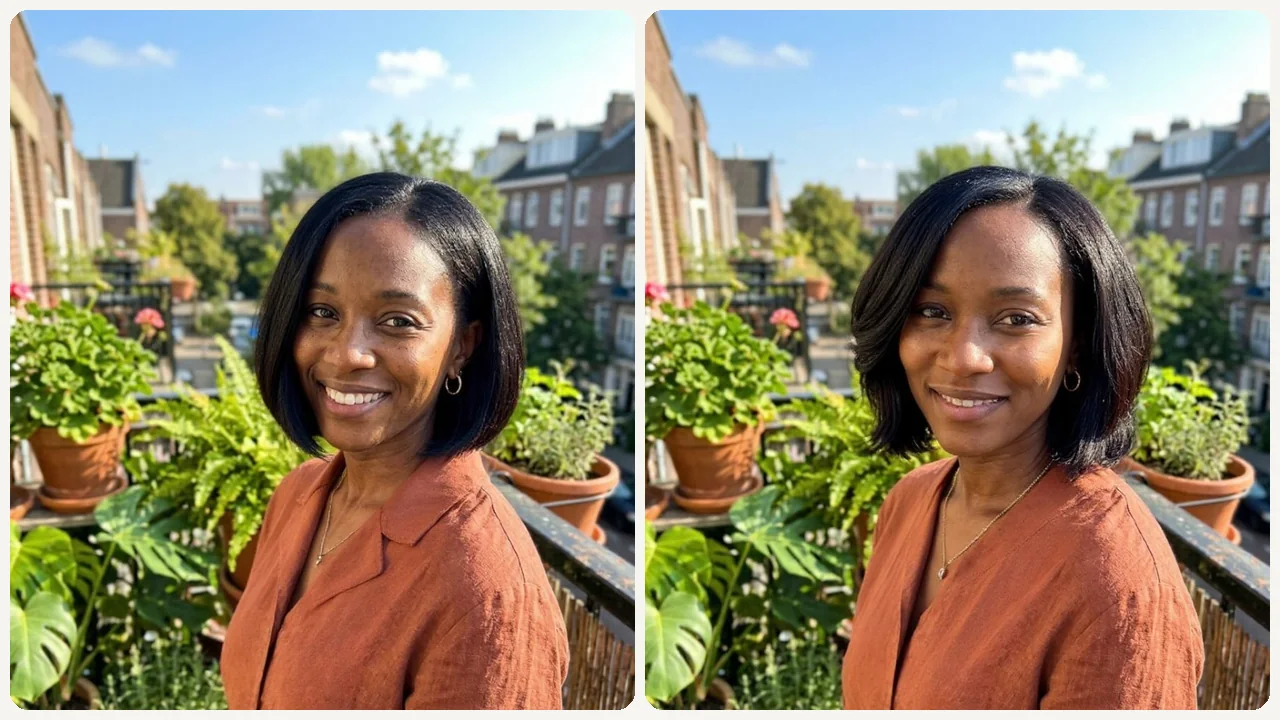
Length Comparison
Compare a chin-length French bob against a longer layered bob to see which length suits you better.

Fresh Start After a Change
Explore a bold new bob look after a big life change — graduation, breakup, or new job.
Profile Photo Planning
See if a bob works for your headshot or social profile before committing to the cut.
Frequently Asked Questions
What is the difference between a classic bob and a French bob?
A classic bob typically sits at chin length with more volume, while a French bob is shorter — usually at the jaw or above — with a fuller, rounder shape often paired with bangs.
Does the bob cut filter work on long hair?
Yes. The AI previews the bob cut on your photo regardless of your current hair length, so you can see the transformation from long hair to a shorter bob.
Can I try multiple bob styles before deciding?
Yes. You can run the filter multiple times with different bob styles and compare the results before your appointment.
Related Tools
Explore more AI photo tools you might like.