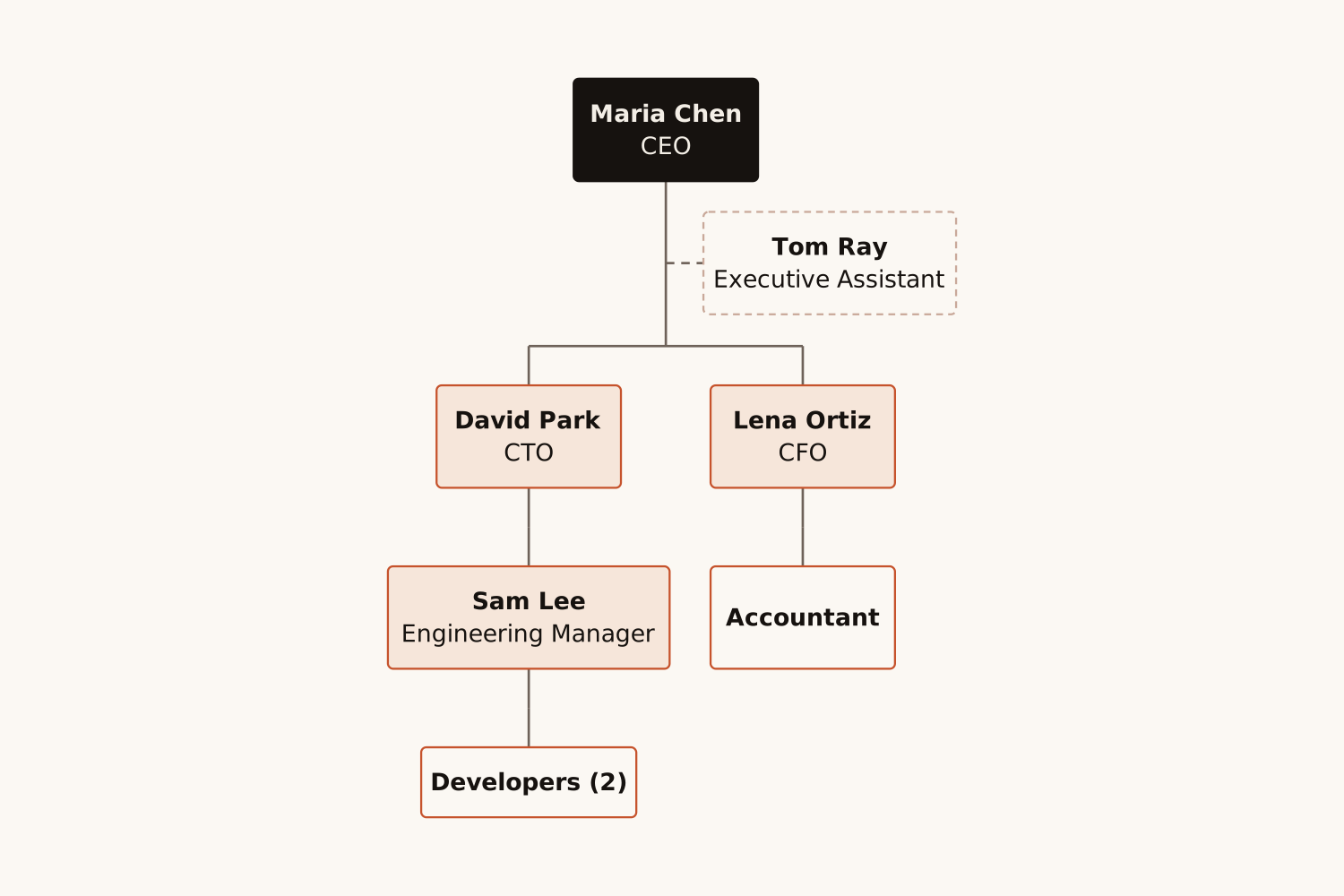
Write who reports to whom, paste a list of names and titles, or just name the kind of organization, and AI draws an organizational chart with every person, role and reporting line.
<30s
per org chart
0
boxes to drag
40
people per chart
PNG SVG
plus Mermaid code
1
free try; sign up free to download
What Is This
An org chart, drawn from your words or your list
An organizational chart (org chart) shows who works in an organization and who reports to whom: one box per person or position, with a line from each manager to their team. Companies use one to onboard new hires, plan hiring and reorganizations, and show clients who they will work with; schools, hospitals and clubs use them the same way.
Here you describe the team in plain words ("Sam reports to David"), paste an indented list of names and titles, or give just the kind of organization, such as "small hospital". AI works out every reporting line and draws the chart: the top in dark green, managers in light green, each manager centred over their team, assistants on a dashed line, and people without reports stacked in a column instead of a very wide row. It never invents people: a position you name without a person shows its role only.
Paste the names and titles from your HR system or a spreadsheet and get a chart for the onboarding pack, the wiki or the all-hands slide.
Org Chart Generator
Reorg plan → Before and after
Describe the new structure…
A chart of the new teams
Founders & managers
Describe the structure you are considering, compare it with today’s chart, and change the text until every reporting line is right.
Org Chart Generator
Class or pitch → Typical structure
Name the organization…
Its usual org chart
Students & consultants
Give a kind of organization, such as "small hospital" or "restaurant", and get its usual structure for an assignment, a business plan or a client proposal.
How It Works
Describe. Generate. Share.
01
Describe your team
Write who reports to whom, paste an indented list of names and titles, or name the kind of organization.
02
AI draws the org chart
AI works out every reporting line and draws the chart, assistants on a dashed line, in under 30 seconds.
03
Export or keep editing
Download PNG or SVG for slides and docs, copy the Mermaid code, or open the chart in draw.io to move and restyle the boxes.
Why Eidora
Built for real teams
Words or a list
Write "Sam reports to David", paste an indented list, or mix both. Names are kept exactly as you write them, and a position without a person shows its role only.
Readable at any size
Drawn like a real org chart: each manager centred over their team, square connectors, people without reports stacked in a column, assistants on a dashed line, and levels in three shades, so even a wide organization fits a slide.
Fits where you already work
PNG for slides, SVG for docs, Mermaid code for GitHub and Notion, and draw.io when you want to move the boxes by hand.
An organizational chart shows the people or positions in an organization and who reports to whom, as boxes joined by lines from each manager to their team. It is used for onboarding, hiring plans, reorganizations and client proposals.
Yes. Describe your team in plain words, paste a list of names and titles, or name the kind of organization, and Eidora’s AI draws the chart with every reporting line in under 30 seconds.
Yes. An indented list ("CEO - Jane Doe", with each person’s team indented under them), a "Department: people" list, or sentences such as "Ann and Ben report to Sam" all work, and you can mix them.
Then the chart shows the roles. Eidora never invents a person’s name: a position you write without a name, such as "CFO" or "3 designers", appears as that role, with the count when you give one.
Yes. Write only the kind of organization, such as "small hospital", "school" or "restaurant", and you get its usual structure: 8 to 14 positions in 3 or 4 levels, with no names.
An assistant or adviser, or anyone you describe with a dotted line, is joined to their manager by a dashed line, beside the team rather than above it.
Up to 40 people or positions per chart. People who manage no one are stacked in a column under their manager, and more than five with the same role share one box, three names to a line, so the chart stays readable; for a larger organization, make one chart per department.
Yes. Names stay exactly as you write them, and roles are written in the language of your text.
Yes. Press "Edit in draw.io" to open the chart in draw.io, where every box becomes a shape you can move and restyle. You can also change your text and generate again, or copy the Mermaid code into Mermaid Live, GitHub, Notion or any Markdown editor that supports it.
PNG for presentations and documents, SVG for scalable graphics, and Mermaid code for GitHub, Notion, and any Markdown editor that supports it.
Permitted uses depend on your input rights, applicable law, and the selected third-party model or provider terms. Verify those terms before publishing client deliverables or documentation.
Not to try it. You can make one diagram a day without an account and see the result. To download the org chart, copy the Mermaid code or open it in draw.io, sign up free: a free account gets 16 credits to start and 4 free credits every day, and each chart uses 4 credits. Without an account, Eidora’s diagram tools share that one diagram a day. Download the chart when it is ready; it is not saved to your history.
From a list of names to a clear picture
Describe your team. Get the org chart.
Free to try · Words or a list · PNG, SVG or Mermaid