AI Image Colorizer

AI Image Colorizer

Add natural, realistic color to your black-and-white photos, usually in under a minute. Our AI Image Colorizer helps historians, genealogists, and anyone cherishing old family pictures.
Free to try · 4 free credits daily
~10–30 seconds
Sign in after your first result
Private by default
Upload your image
Try with an example:
Example 1
Result preview
Upload an image to preview
You download the original output file. Free accounts get 4 free credits every day.
4 credits per image · 1 free try, sign up free to download
Model: FLUX.1 Kontext Pro · Usually 10-30 seconds
Before & After

See the transformation

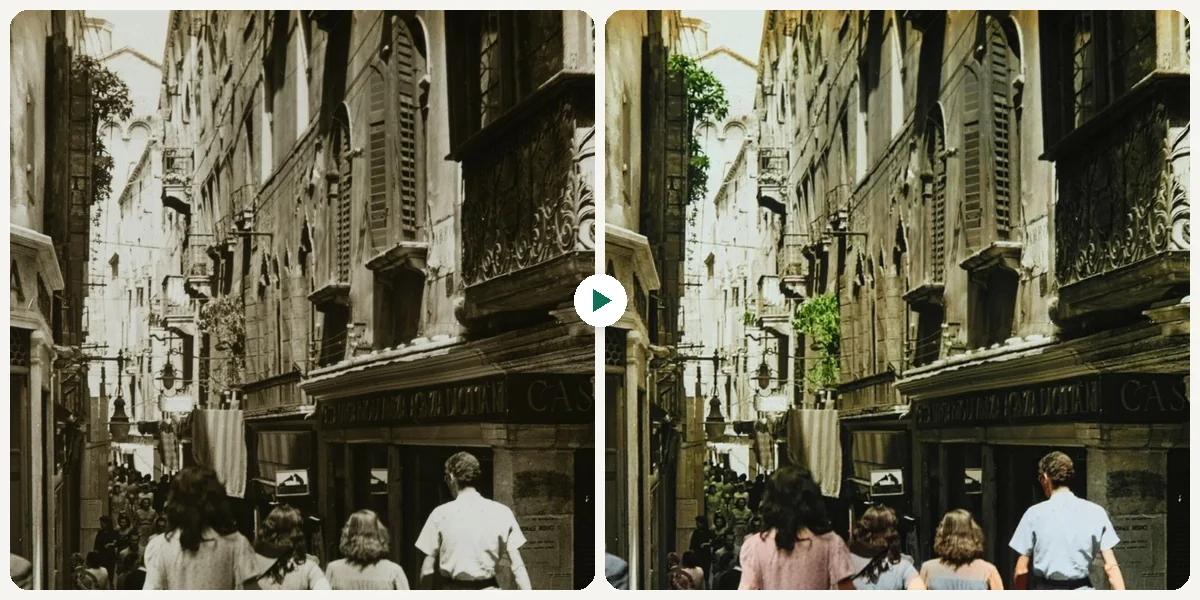
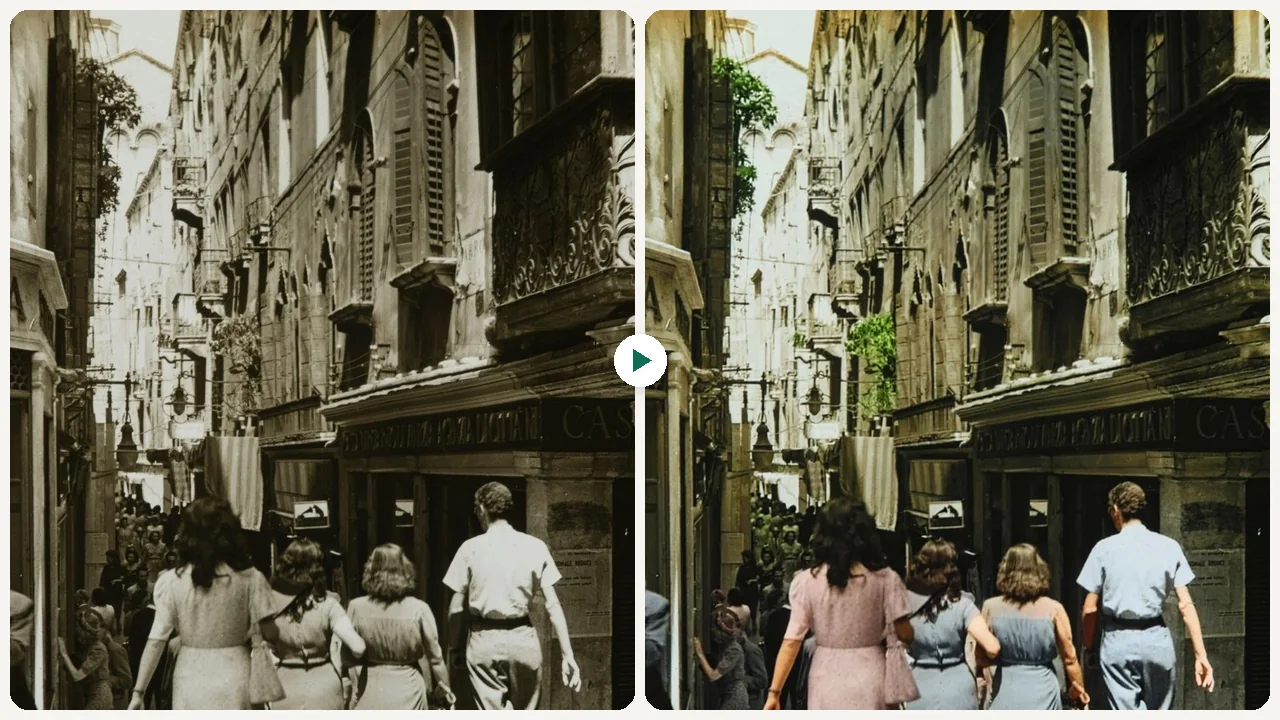
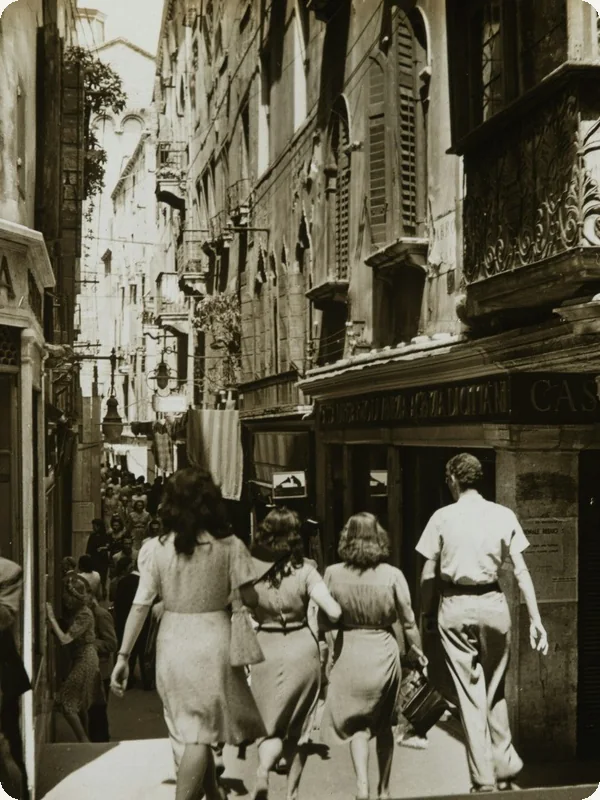
AI Image Colorizer example: an old black-and-white photo of shoppers in a narrow European street, colorized (before)
Original photo
Before
AI Image Colorizer example: an old black-and-white photo of shoppers in a narrow European street, colorized
AI result
After
Old street photo
An old black-and-white street photo. The colors are the AI's best guess, not a record of the original ones.
What Is This Tool
AI Image Colorizer overview

What Is AI Image Colorizer?

Coloring a black-and-white photo by hand means selecting skin, clothing, sky and foliage one area at a time in a photo editor and picking a believable color for each. Eidora's AI Image Colorizer does it in one step: upload a black-and-white photo and the AI adds natural, realistic color, with true-to-life skin tones, plausible colors for clothing, objects and surroundings, and gentle saturation that suits an older photo. Faces, expressions, composition and background stay the same; only color is added. The colors are the AI's best guess rather than a record of the original scene, so treat the result as a believable interpretation, not historical evidence.

Use Cases

What you can create

AI Image Colorizer use case - Preserve Family History

Preserve Family History

Family historians can add color to old black and white photos and see clothing, landscapes, and historical moments in believable color. This helps future generations connect more vividly with their heritage and ancestral stories.

Enhance Creative Projects

Graphic designers can update vintage black and white imagery for contemporary design projects, adding a modern aesthetic while retaining historical charm. Colorized photos can be used in posters, websites, or marketing materials to capture attention.

Engage Audiences with History

Content creators writing about historical events or personal anecdotes can colorize old photographs to make their stories more immersive and visually appealing. Vivid colors help readers feel a stronger connection to the past and the people within the images.

Why Eidora

Built different, built better

Fast Colorization
Quickly transform black and white images into vibrant, full-color photos in under a minute, saving you hours of manual editing time.
Natural, Realistic Hues
The AI adds natural, realistic colors with true-to-life skin tones and gentle saturation, so your photos look believable rather than artificially tinted.
Preserve History
Give new life to antique family photos, historical documents, and archival images, allowing you to experience the past in a richer, more engaging way.
How it works

Three steps. About a minute.

AI Image Colorizer: Upload Your Image
  1. Upload Your Image

    Upload a black-and-white photo. JPG, PNG or WebP up to 10MB; a clear, well-lit photo works best.

  2. Let the AI Work

    Press Generate. The AI adds natural color, usually 10 to 30 seconds.

  3. Download Your Result

    Preview your newly colorized photo and download it.

Try AI Image Colorizer Now
✦ Try It Free Now
FAQ

Frequently
asked questions

Everything you need to know. Can't find what you're looking for?
Still have questions?
Our support team is happy to help.
Contact Support
You can colorize a wide range of black and white photos, including old family portraits, historical landscapes, vintage architectural shots, and even old newspaper clippings. The AI works best with clear, well-preserved images, but it can also add color to faded ones.
Yes. You can try one result without signing up. A free account gets 16 credits to start and 4 free credits every day, and this tool uses 4 credits per image. Paid plans start at $9.9/month for 300 credits.
The AI adds natural, realistic colors that fit what is in the photo, such as true-to-life skin tones and plausible colors for clothing and surroundings. The results are interpretations, so the colors may differ from the original ones (if known).
No, absolutely not. Our AI Image Colorizer is a web-based tool, meaning you only need a browser and an internet connection. There's no need for complex graphic design knowledge or software installation.
The colorizer only adds color: it does not repair scratches, tears or fading, and it keeps every detail as it is. For damaged photos, run them through AI Old Photo Restoration first, then colorize the restored image.
You can upload JPG, PNG, WebP or GIF images up to 10MB. For best results, ensure your image is clear and of reasonable quality before uploading.
Results usually take 10 to 30 seconds per image.
Your original file on your device is never changed. Your upload and the colorized result are saved privately to your history so you can view and download them later, and only you can open them (if you are not signed in, they are tied to your browser session).
Permitted uses depend on your rights in the original photo, applicable law and the model provider's terms. An Eidora plan changes credits and history, not intellectual-property rights.
Our current tool provides automatic colorization without manual editing options post-process. If you require further adjustments, you can download the output and use a separate photo editor. We aim for the best possible automatic results.
Each photo uses 4 credits, so how many you can colorize depends on your credits. A free account gets 16 credits to start and 4 free credits every day. The tool colorizes one photo per run; there is no batch mode.
Eidora sends your photo to an image AI model with one instruction: add natural, realistic color, with true-to-life skin tones, plausible colors for clothing, objects and surroundings, and gentle saturation, while keeping every face, detail and the background the same. The model picks colors that fit what it sees in the photo, which is why the result is a believable interpretation rather than the true original colors.
Start with daily credits
Ready to create
your masterpiece?
4 credits per image · Free to try · 4 free credits daily
Free to try · 4 free credits daily
~10–30 seconds
Instant download