Text → video
Open the full StudioText to video. On set.
Write the shot, pick one of 18 video models and press Generate. The button shows the credits before you spend them, and a failed run gives them back.
Input WordsOutput VideoMiniMax H3 25 credits
Video needs a plan or a credit pack.Open the full Studio
01 · Samples and style references
Imaginary worlds. Not B‑roll.
Clips made on Eidora, each labeled with how, and style references from our design library. None was made on this page.
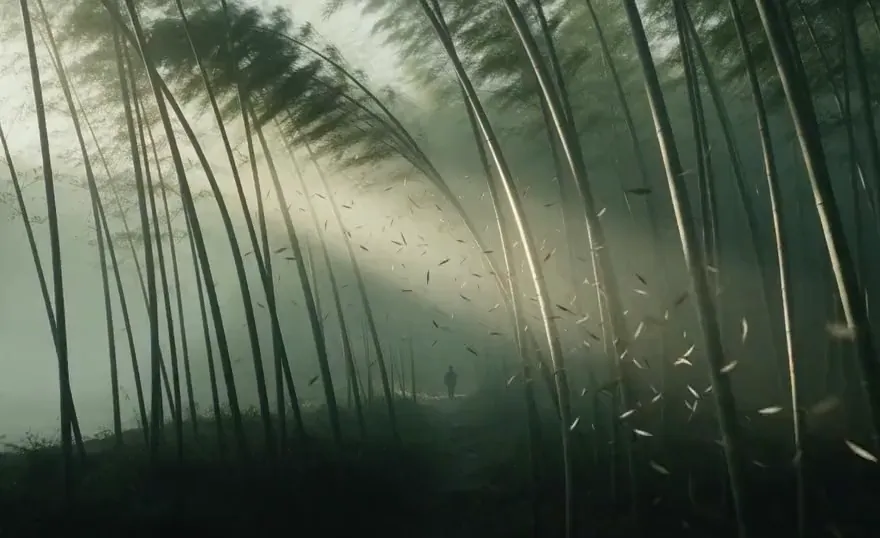
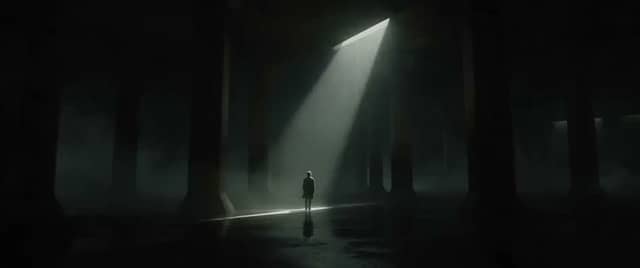
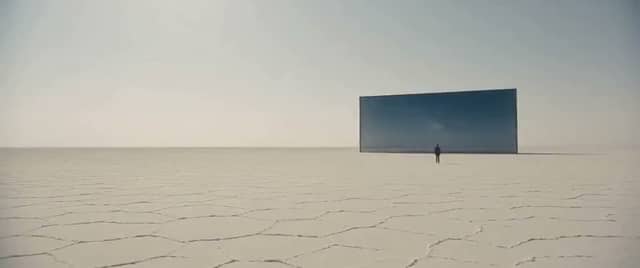
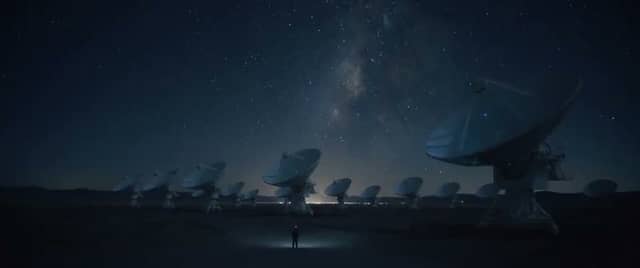


02 · How it works
Prompt. Model. Roll.
Three steps, all on this page. The full Studio has the same models with more room.
Write the shot
Say who or what is in frame, how the camera moves and what the light feels like. One clear beat works better than a list of ideas.
Pick a video model
18 models run from words alone, from 20 to 170 credits a clip. The picker shows each one's price, length and whether it has sound.
Generate & keep
Press Generate. The clip lands under the box and in your History. A run that fails is refunded automatically.
What it is
What is text to video on Eidora?
Text to video is the simplest way to make an AI video: you describe a shot in words and a video model renders it as a short clip. There is no picture to upload and no timeline to edit. The words are the whole brief: the subject, the action, the camera move, the light and, on models with sound, what we should hear.
Text to video on Eidora runs in the box at the top of this page and in the full video Studio. Both use the same models, the same prices and the same account. Pick a model, write the prompt and press Generate. Each clip is 5 to 8 seconds long, depending on the model, and takes a few minutes; the box shows the wait for the model you pick.
Video needs a paid plan or a credit pack. A new account gets 6 credits at sign-up, which cover still images, so you can test a prompt as a picture first. Every price is in credits and is printed on the Generate button before you press it; Pricing lists the plans and packs.
Text to video is not the right mode for everything. If you already have a picture you want to move, image to video keeps it as the first frame. If a person or a product has to look the same across several clips, reference to video takes up to four pictures of them.
03 · Use cases
Where text to video earns.
Ads and product stories
Open on a world that does not exist yet: a sneaker floating through a storm, a city made of glass. Make a few versions of the same beat and keep the best one.
Social clips
Short vertical clips for Reels, Shorts and TikTok when you have an idea but no footage. Vertical 9:16 is the default, and most models offer other shapes.
Previs and mood
Try camera moves and lighting before a shoot day, or show a client how a scene will feel before anything is filmed.
Story worlds
Imaginary places for music videos, games and pitch decks, built one shot at a time from your own words.
04 · Models
Models that run this mode.
Every model here runs from words alone. The prices are the ones the Generate button charges.
Video · 6 s · Sound
MiniMax H3
Natural motion with sound, best value
25 credits · Plan or packVideo · 5 s · Sound
Kling 4.0
The newest Kling: sharper motion, with sound
75 credits · Plan or packVideo · 8 s · Sound
Veo 3.1
Google's flagship video model, with sound
135 credits · Plan or packVideo · 5 s · Sound
Seedance 2.5
Top quality and detail, costs the most
170 credits · Plan or packAll 18 models in this mode
- Veo 3.1 Lite20 credits
- MiniMax H325 credits
- Seedance 2.0 Mini25 credits
- PixVerse V630 credits
- Veo 3.1 Fast35 credits
- Gemini Omni Flash45 credits
- Wan 345 credits
- Kling 3.0 Turbo50 credits
- Kling O350 credits
- MiniMax H3 Max55 credits
- HappyHorse 1.160 credits
- Kling 370 credits
- Runway70 credits
- Seedance 2.0 Fast70 credits
- Kling 4.075 credits
- Seedance 2.0110 credits
- Veo 3.1135 credits
- Seedance 2.5170 credits
Guide
Getting usable AI video from a prompt: craft, credits, privacy
Write a prompt a video model can follow
A good text to video prompt reads like one line of a shot list. Start with the subject and what it does, then the camera, then the light: “A red fox trots across a snowy field at dawn, low tracking shot, soft pink light, its breath visible in the cold air.” That is enough. Models do worse when one prompt asks for three actions, two camera moves and a list of styles; they follow part of it and drop the rest.
Keep each clip to one beat. If the story needs a fox that stops, looks up and runs, make three clips and cut them together. Clips are 5 to 8 seconds, so plan in short beats, and describe the subject with the same words in every prompt so it stays recognisable from clip to clip.
Choose the model for the job
The models differ in motion, detail, sound and price. MiniMax H3 is the default because it moves naturally, has sound and costs little. Kling 4.0 is the newest Kling, with sharper motion. Veo 3.1 is Google's flagship video model, with sound and 8-second clips, and Veo 3.1 Lite is the same family at its lowest price. Seedance 2.5 has the most detail and costs the most. Each model has its own page with a sample, its price and a comparison.
A practical way to choose: draft on a cheaper model until the prompt gives you the shot you want, then make the final clip on a stronger one. The words carry over; only the model and the price change. The price of every model is in the list above and on the button.
Credits, refunds and what you pay
Each model has a fixed price per clip, from 20 to 170 credits in this mode, and the Generate button always shows it. Credits come from a plan or a one-time credit pack. Video is not part of the free start, so a free account sees the price and a short note about plans instead of a surprise charge.
If a run fails, the credits go back to your balance automatically; you do not need to ask. Plans, packs and the full price list are on Pricing, and billing questions are answered in Help.
Privacy and where your clips go
Every clip is saved to your History, where you can watch and download it; how long it stays there depends on your plan. Pictures you upload are deleted automatically 30 days after upload and are never used to train AI models. The Privacy policy has the details.
When you want more room, the video Studio has the same models with every mode in one place. To control the first frame exactly, make it with text to image and bring it to life with image to video.
05 · Questions
Mode questions. Straight answers.
Is text to video free on Eidora?
No. Text to video on Eidora needs a paid plan or a credit pack. A new account gets 6 credits at sign-up for still images, so you can try your prompt as a picture first. The price of each clip is on the Generate button; plans and packs are on Pricing.
How many credits does a text to video clip cost?
Text to video on Eidora costs 20 to 170 credits a clip, depending on the model. The price is fixed per clip and shown on the button before you press it. A run that fails is refunded automatically.
Which video model should I pick?
Start with MiniMax H3, the default, for natural motion with sound at a low price. Move to Kling 4.0 or Veo 3.1 for sharper motion, and to Seedance 2.5 for the most detail. Every model has its own page under AI models.
How long are the clips, and do they have sound?
5 to 8 seconds, set by the model. Most models in this mode make sound with the picture, and the model list says which ones do. A clip takes a few minutes, and the box shows the wait for the model you pick.
Do I need a picture for text to video?
No, this mode is words only. To move a picture you already have, use image to video. To keep a person or a product the same across clips, use reference to video.
Where do my clips go, and are they private?
Every clip is saved to your History, where you can watch and download it. Pictures you upload are deleted after 30 days and are never used to train AI models; see the Privacy policy.
Explore
Keep creating. Same studio.
Ready
Write the shot. Roll.
The composer is at the top of this page. The price is on the button, and failed runs are refunded.