Christmas · How-to
How to Make AI Christmas Family Photos (Keep Every Face)
Upload one family photo, pick a scene like Family Card or With Santa, and download a Christmas portrait or a 5×7 card. Steps, photo tips, and what it costs.
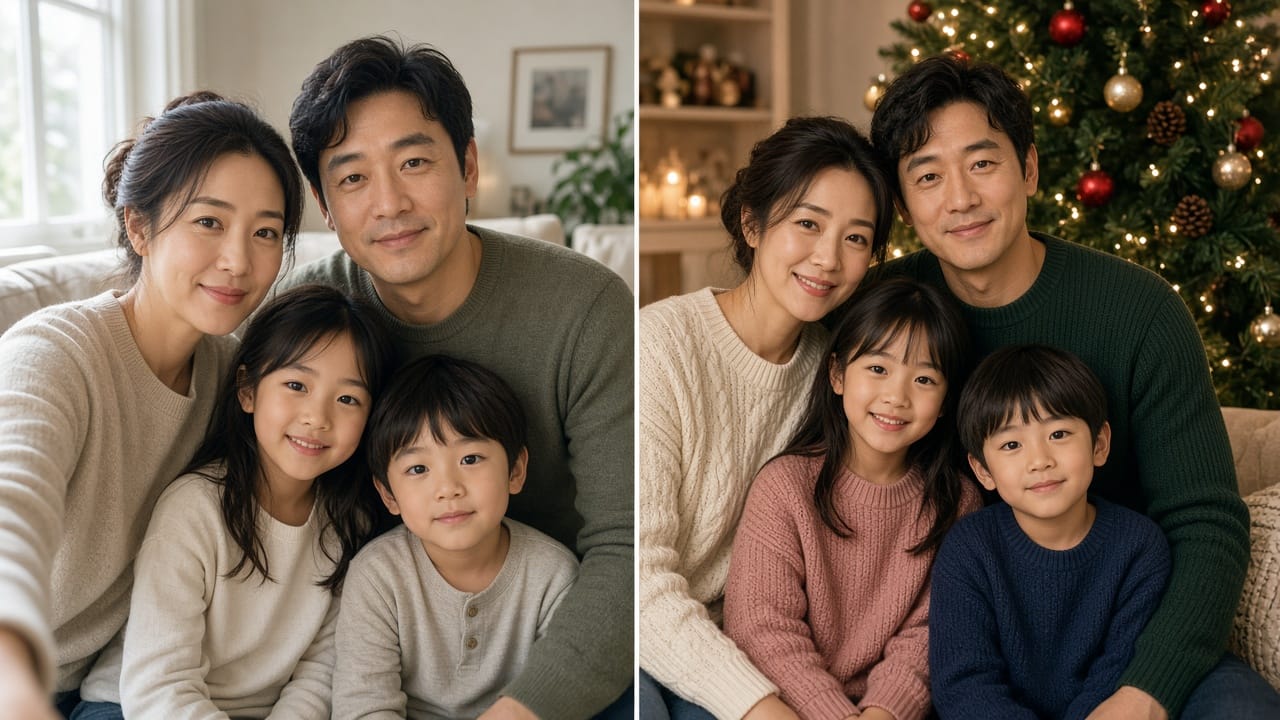
An AI Christmas family photo starts with one everyday picture you already have. Upload it to Eidora's AI Christmas Photo Generator, pick a holiday scene—Family Card, With Santa, Christmas Morning, and more—and download a festive portrait you can text, post, or turn into a printable 5×7 card. Signup gives you 6 credits and each photo uses 4 credits; free results carry an eidora.io watermark. The family scenes are built to keep each person's face; you do not write a prompt novel or stand in a mall Santa line. A new account can buy 40 credits for $1.99 once within 72 hours of signing up.
The pictures in this guide are labeled SAMPLE. They are illustrations we made for this article, not results from the tool.
AI Christmas Photo Generator
Try it on your own photo
Pick a style, choose a photo, and press the button. The AI Christmas Photo Generator opens and starts with your photo right away.
Style
By uploading, you confirm you have the right to use this photo (see Acceptable Use).
6 credits when you sign up, enough for a first image.
What you need before you start
• One photo with everyone in it. Faces visible, roughly the same scale, not cut off at the edge.
• Decent light. Window light or a well-lit room beats a dark living-room snap with heavy shadows on faces.
• Rights and consent. Upload only photos you have the right to use. For children's photos, the tool page asks that you upload only your own family's images, or with a parent's OK.
• An account. Sign in before generating. New accounts receive 6 credits on signup; each photo uses 4 credits.
How to choose (or shoot) the source photo
You do not need a studio session. You do need a clear group frame.
1. Gather everyone in one frame. Phone selfie sticks, a kitchen timer, or a quick ask to a neighbor all work. Pets can stay in the shot if you want them in the Christmas result.
2. Face the camera. Glasses are fine; hair covering eyes or someone turned away makes identity harder to keep.
3. Avoid heavy filters. Beauty filters or warped wide-angle selfies can confuse likeness.
4. Mind the count. Family Card, With Santa, and Christmas Morning work best with 2 to 7 people in one photo. Larger groups can work, but faces get small; if someone is hidden, the result can miss them.
5. File type. JPG, PNG, or WebP.
Skip photos where one person is a tiny face in the background, or where a toddler's face is buried in a coat. Crop tighter so every face you care about is clearly visible before you upload.
Quick source-photo checklist
• Every face fully in frame
• Soft, even light on faces
• No heavy beauty filter
• Pets welcome if they are already in the shot
Step-by-step: make the Christmas photo
1. Open the tool and upload
Go to the AI Christmas Photo Generator. Upload one family photo (or try a sample if you are only exploring the styles).
2. Pick a Christmas scene
The page lists 14 Christmas scenes:
• Family Card — coordinated Christmas knitwear by a decorated tree / fireplace. Runs on GPT Image 2.5.
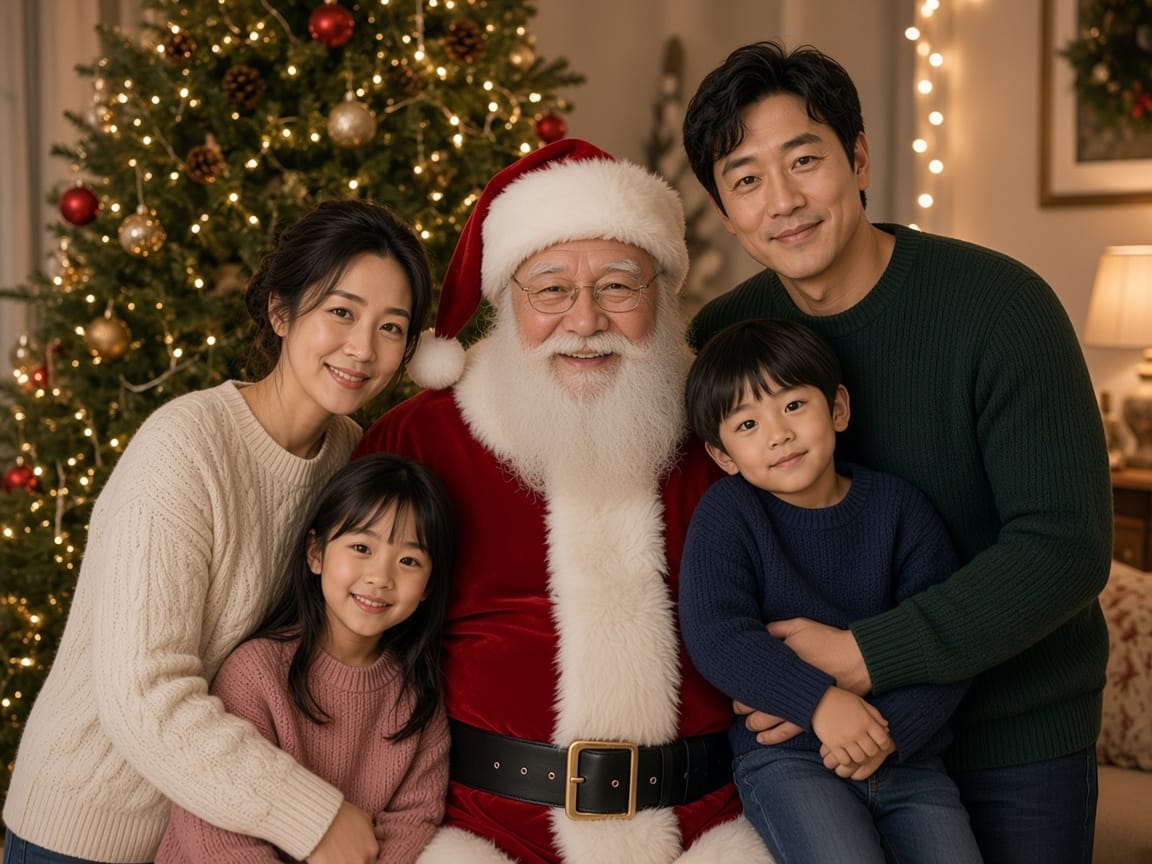
• With Santa — one classic Santa by the tree; your family stays in their own clothes. Children stand beside Santa or stay in a parent's arms, not on his lap. Runs on GPT Image 2.5.
• Christmas Morning — matching red-and-white plaid pajamas and presents by the tree.
• Couple Lights — two people in winter coats on a snowy street with lights.
• Pet Christmas — dog or cat by the tree in a red-and-white bandana (nothing on the pet's head).
• Nine more scenes — Cozy, Snow Play, Festive Group, Holiday Baking, Gifts, Market Street, Soft, Snowy Cabin, Snow Travel. These work best with one or two people.
• Custom — describe a scene if none of the presets fit.
Generation usually takes 10 to 30 seconds (a little longer when busy).
3. Generate, then add a greeting if you want a card
After the image appears, type your own greeting and optional sign-off under the result, pick a card layout (Classic, Evergreen, or Full photo), and download a 5×7 card at 300 dpi. Words are set in a real font so they are not AI-misspelled. The card download costs no extra credits beyond the photo generation.
You can also download just the photo for social posts or the family group chat.
Tips that improve likeness

• Prefer a sharp, well-lit original over a blurry night photo.
• Keep every person you want in the result fully in frame.
• If one face looks off, regenerate with the same style or try another scene; each run uses 4 credits.
• Pets: a pet in the family photo can stay with Family Card, With Santa, and Christmas Morning. Use Pet Christmas for a pet-focused shot, or the separate AI Christmas Pet Photo tool.
Credits and cost (from the tool page)
• 4 credits per photo
• 6 credits when you sign up (enough for one photo, with 2 left over)
• Free results include an eidora.io watermark
• New accounts can buy 40 credits for $1.99 once, within 72 hours of signup
• Credit packs start at $4.99 for 100 credits; plans start at $9.9/month
• After you have paid, results have no badge
Family Card and With Santa run on GPT Image 2.5 (named on the EN tool page).
Privacy and kids (read before you upload)
Uploads, prompts, and results are private to your account. Input is sent to the AI model provider that runs generation. Eidora states it does not sell your content or use it to train AI models. You can delete a result in History or delete your account. Upload children's photos only if you are their parent or guardian, or with a parent's OK. When in doubt, try an adult-only demo photo first.
Turn the portrait into a printable card
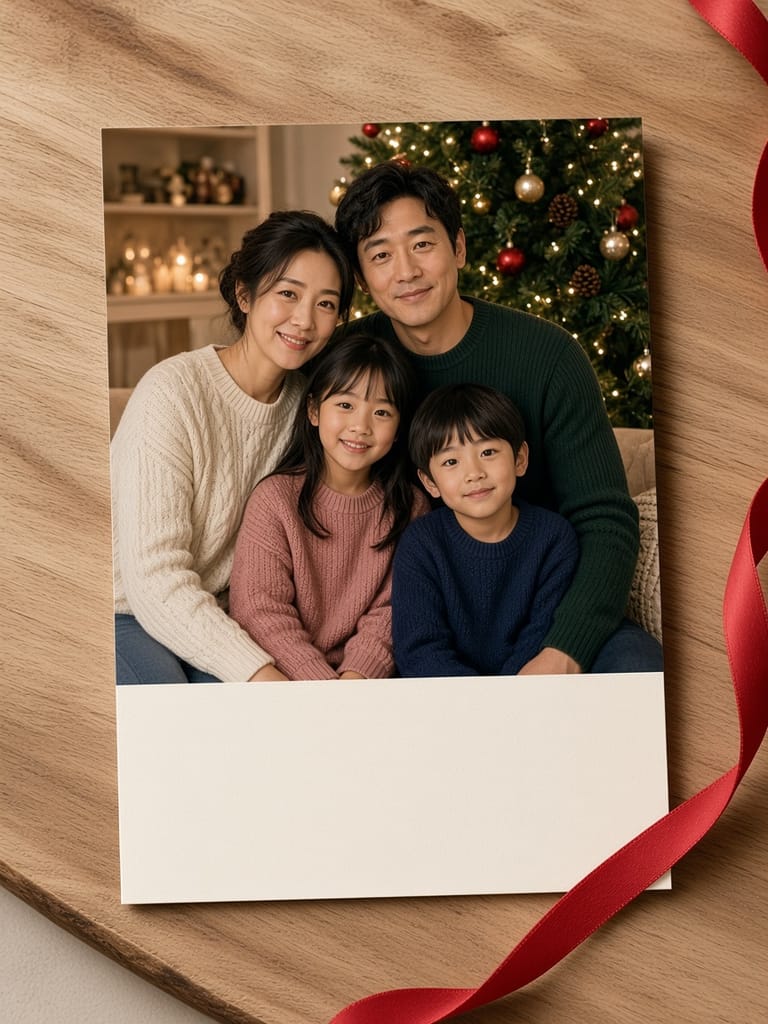
Under the result, add a short greeting and download the 5×7 card. Write the words yourself so the card sounds like your household.
Greeting examples (write your own variations)
1. Warm light, warm hearts — Merry Christmas from our family to yours.
2. Same faces, new sweaters. Wishing you a gentle holiday season.
3. From under our tree to yours: merry Christmas and a quiet January.
4. Lights on, phones down for one evening. Happy holidays from the [Family name]s.
5. Grateful for this year, and for you. Merry Christmas.
Keep the message short enough to sit cleanly on a 5×7 card. Sign with names; skip hashtags and URLs if you plan to print and mail it.
For a designed card built around your words only (not a family portrait), use the AI Christmas Card Generator. For Santa alone as a focus, see also AI Photo with Santa. Browse more ideas on the hub: AI Christmas Photos.
A simple checklist for Thanksgiving-to-Christmas week
1. Pick one clear group photo this weekend.
2. Use your signup credits for one Family Card first (6 credits cover one photo at 4 credits).
3. Add the greeting you will actually mail (“Merry Christmas from the ___ family”).
4. Download the 5×7, proof names, then order prints or send digitally.
5. Keep the original photo; regenerate if someone blinks in the AI result.
FAQ
Is there a free way to try an AI Christmas photo?
A free account starts with 6 credits—enough for one photo at 4 credits per photo—with 2 left over. Free results carry an eidora.io watermark. Further credits follow the prices listed above.
Will everyone still look like themselves?
Family Card, With Santa, and Christmas Morning are built to keep each person's face, skin tone, hair, and glasses, with children staying the same age. A sharp, well-lit photo with every face visible works best.
How many people can be in the photo?
Those three family scenes work best with 2 to 7 people. Larger groups can work, but faces get small. Use a photo where everyone's face is visible.
Can I print it as a Christmas card?
Yes for the in-tool 5×7 download (Classic, Evergreen, or Full photo) at 300 dpi. Separately, the main photo download is suited to web and social and is not guaranteed to match your original resolution or to be print quality—check the file at full size before a large print order.
Can I include my dog or cat?
Yes. A pet in the family photo stays with Family Card, With Santa, and Christmas Morning. For a pet-only shot, use Pet Christmas or AI Christmas Pet Photo.
How long does generation take?
Usually 10–30 seconds; a little longer at busy times.
What if I only want a designed card with my words, not a family portrait?
Use the AI Christmas Card Generator.