Christmas · How-to
How to Make a Christmas Card with AI: Your Words, 6 Styles
Type your greeting, pick one of 6 styles, add a family photo if you like, and download a finished Christmas card. Steps, greeting ideas, printing, and cost.
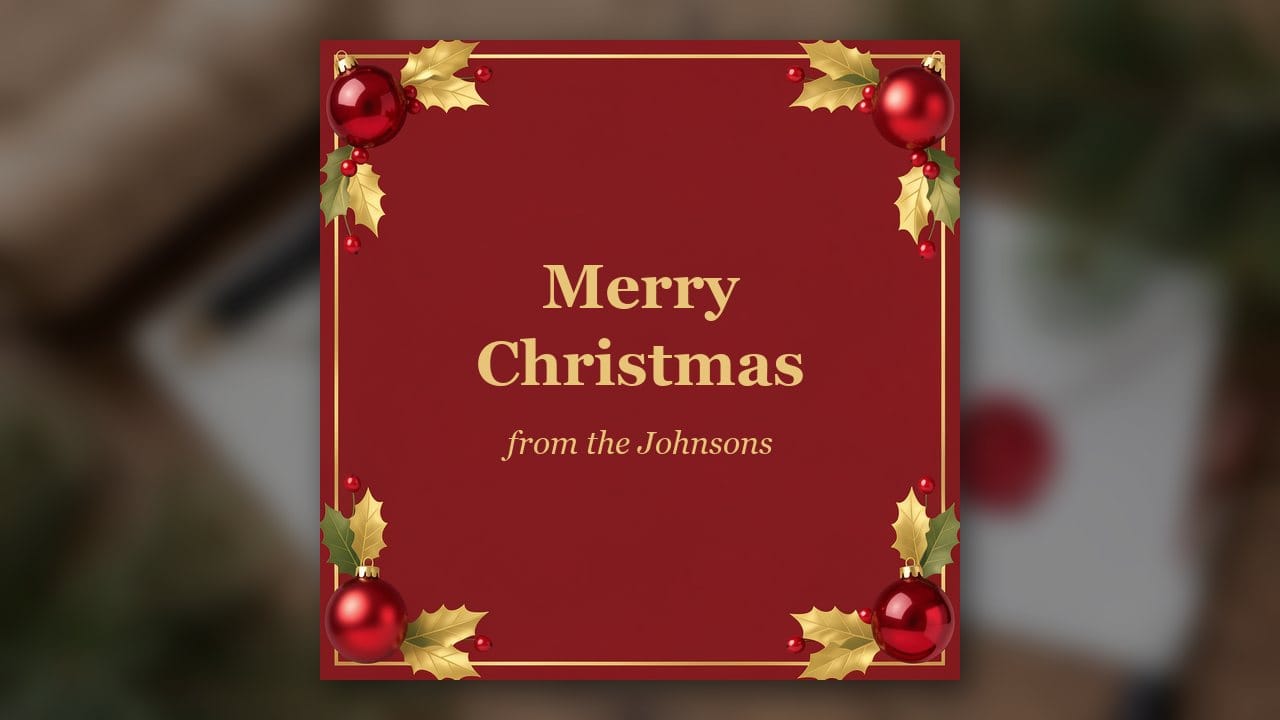
An AI Christmas card generator designs a whole card around the words you type: the picture, the border and the lettering together. You type your greeting, pick a style, add a family photo if you want one, and download the card as an image.
On Eidora's AI Christmas Card Generator a card usually takes 20 to 60 seconds and uses 4 credits. A new account starts with 6 credits, enough for one card, and that card carries an eidora.io watermark. After that, a new account can buy 40 credits for $1.99 once, within 72 hours of signing up.
The pictures in this guide are labeled SAMPLE. They are illustrations we made for this article, not results from the tool.
Two ways to make a card, and which to pick
Start from your words when the design matters most or you have no good photo. That is what this guide covers.
Start from your photo when the card is about the faces. Make a family portrait with the AI Christmas Photo Generator, then type your greeting under the result and download a 5×7 card at no extra cost.
Both are explained in how to make an AI Christmas family photo.
Write the words first

The tool is built to write only the words you type, spelled as you typed them. If you leave the box empty, the card says "Merry Christmas". So settle the wording before you spend credits, and spell every name the way you want it printed.
A few patterns that work:
• Merry Christmas from the Johnsons
• Happy Holidays, with love from Maya, Chris and Leo
• Peace, love and joy this Christmas. Love, Grandma Rose
For a party, put the details in the same box: Holiday Party at the Garcias' · Saturday, December 19 · 7 PM · 42 Maple Street.
Step 1: Pick one of the 6 styles
Classic Red & Gold: a deep red background with gold holly, berries and ornaments.
Winter Watercolor: a watercolor card with snowy pines and a red cardinal.
Modern Minimal: one line-drawn tree or star on off-white, with clean lettering.
Kids & Whimsical: a smiling reindeer, a snowman and gingerbread cookies in bright colors.
Elegant Gold Foil: a gold wreath or starburst on navy or forest green.
Party Invitation: your event details under string lights and ornaments.
Step 2: Pick a shape and add a photo if you want one
Choose the shape for where the card will go: 1:1 square, 16:9 wide, 9:16 for a phone, or 4:3.
To put your family on the card, upload a photo and it is framed in the design, with every person and pet kept as they are. Check each face in the result. Upload a child's photo only if you are their parent or guardian, or with a parent's OK.
Step 3: Generate, check, download
Press Generate. A card usually takes 20 to 60 seconds, a little longer at busy times.
Read every word on the result before you send it, especially names. If something is wrong, or you change your mind, edit the words and generate again. Each new version uses 4 credits.
Can I print it?
Yes, at home or at a photo shop. The card downloads as an image sized for screens and small prints, so check it at full size before a large print run.
A free account's card carries an eidora.io watermark, so check that before ordering prints too. Once you have paid, your results have no badge.
If you need a print-size file with a family portrait, the 5×7 card under the AI Christmas Photo Generator is 300 dpi.
What it costs
• First card: a new account gets 6 credits. One card uses 4, so 2 are left over, and the result has a watermark.
• New member pack: 40 credits for $1.99, once, within 72 hours of signing up. That is 10 cards.
• Credit packs: from $4.99 for 100 credits.
• Plans: from $9.9 a month for 300 credits.
Common questions
Which AI model does it use?
Cards run on GPT Image 2.5, OpenAI's image model.
Can I use the card for my business?
That depends on your rights in any uploaded photo, the law and the model provider's terms. Check those before you publish or sell it.
Are there other Christmas tools?
Yes. For posters, backgrounds, pet photos and short videos, see AI Christmas photos.