Image · effect

AI Age Filter

See yourself older or younger

4 credits per imageGPT Image 2.5

Selecione ou solte até 10 fotos para usar as mesmas opções em cada uma.

Envie sua foto

By uploading, you confirm you have the right to use this photo (see Acceptable Use).

Experimente com um exemplo:
Exemplo 1
Example result
Como fazer um assim
Tool
AI Age Filter
Estilo
Baby
Formato
Not recorded
Escolha o estilo
Ajustar idade
Expressão
Fundo
4 créditos por imagem · 6 créditos ao se cadastrar
Modelo: GPT Image 2.5 · Normalmente 10-30 segundos

Eidora's AI Age Filter shows you at another age from one front-facing photo: baby, childhood, teenager, adult, middle age or senior, 6 ages in all. GPT Image 2.5, OpenAI's image model, changes face shape, skin, wrinkles and hair while keeping you recognizable, usually in 10 to 30 seconds. It is a fun preview, not a prediction. 6 credits when you sign up; each image uses 4 credits.

Antes e depois

Veja a transformação

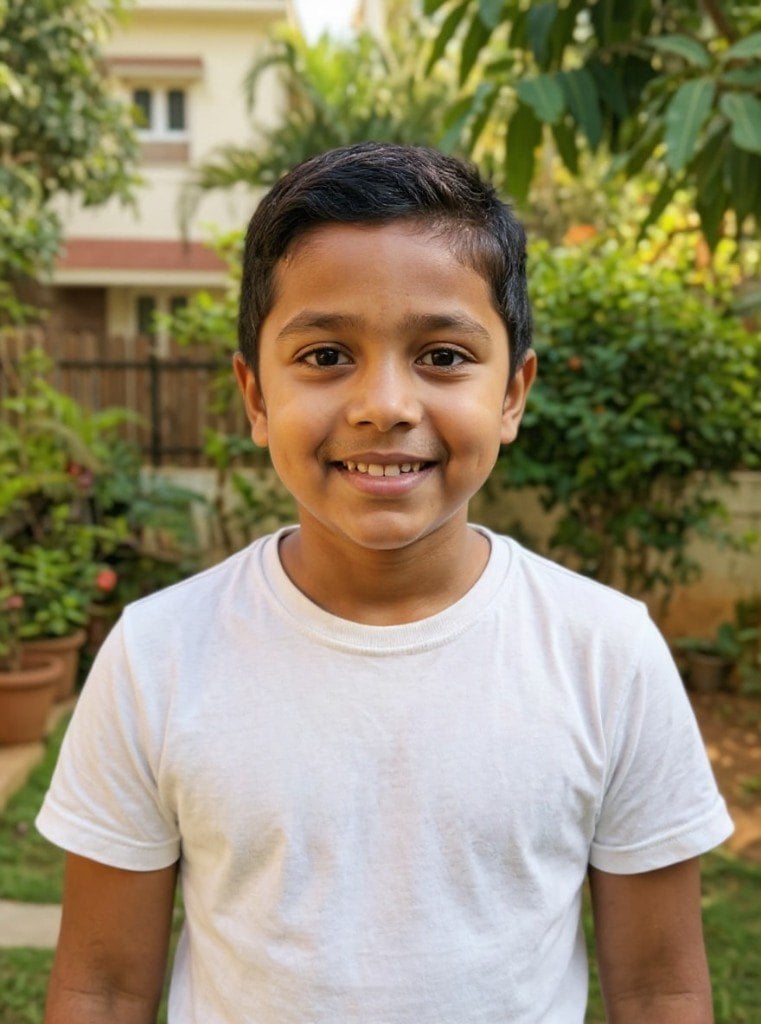
Original photo before AI Age Filter - Baby styleOriginal photo before AI Age Filter - Childhood style
Foto original
Antes
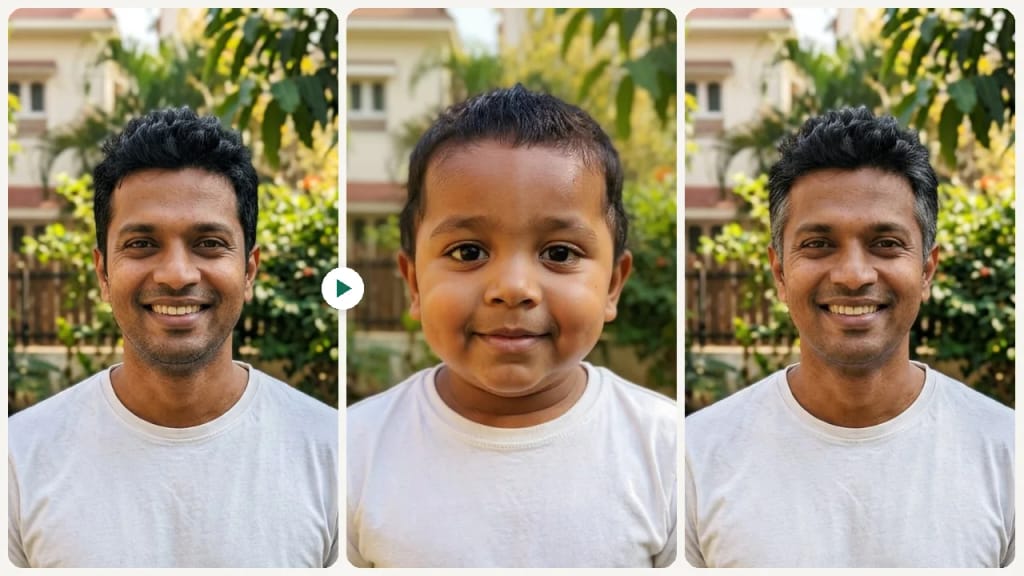
AI result in Baby style - AI Age FilterAI result in Childhood style - AI Age Filter
Resultado de exemplo
Depois
Estilo Baby
AI Age Filter · Eidora AI
O que é esta ferramenta
AI Age Filter overview

O que é AI Age Filter?

The AI Age Filter shows how you might look at a different age, from a baby or child to a teenager, adult, middle age or senior. Upload a clear, front-facing photo and pick an age; GPT Image 2.5, OpenAI's image model and the one that kept faces and skin tone truest in our October 2026 tests, changes age-related features such as face proportions, skin texture, wrinkles and hair while keeping you recognizable (if it fails on a photo, the earlier models, Seedream 4.5 and FLUX.1 Kontext, make it instead). It is a fun preview, not a scientific age prediction, and works well for side-by-side before-and-after posts.

Casos de uso

O que você pode criar

AI Age Filter use case - TikTok Duet and Carousel Content

TikTok Duet and Carousel Content

Film a duet reacting to your 80-year-old self, or post a carousel that runs from baby to senior.
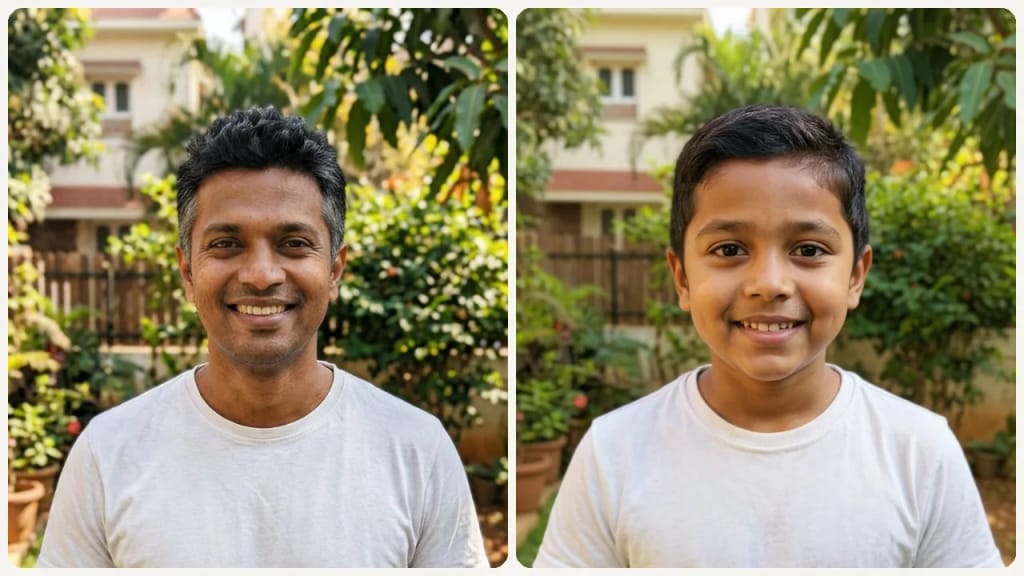
AI Age Filter use case - Generational Side-by-Side with Parents

Generational Side-by-Side with Parents

Render yourself at your mother's current age and place the images next to each other. Family resemblance comparisons trigger emotional responses and make compelling holiday group-chat content.
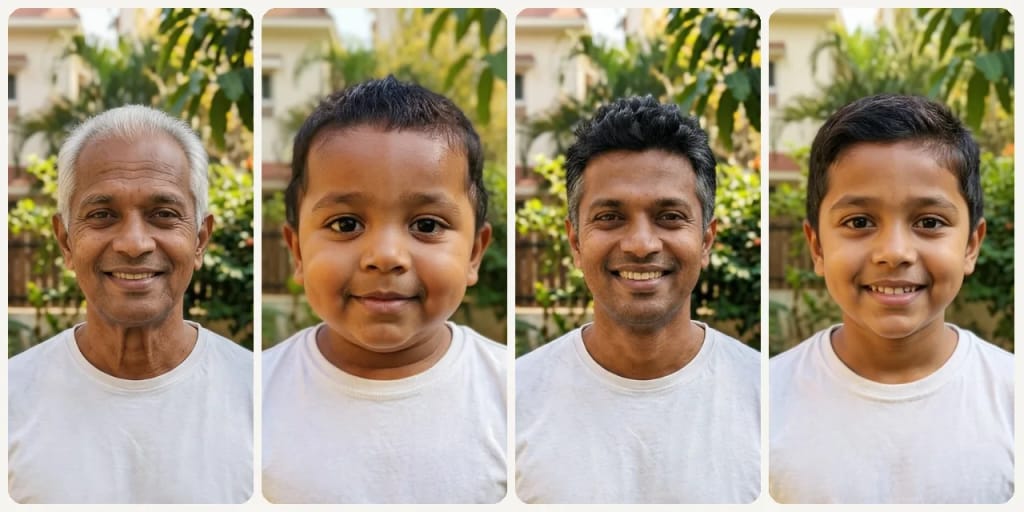
AI Age Filter use case - Health and Lifestyle Motivation

Health and Lifestyle Motivation

Seeing a preview of your face at 70 can be a nudge toward sunscreen, sleep and diet habits. It is a fun preview, not a medical prediction.

Por que o Eidora

Feito diferente, feito melhor

Duet-Ready Before-and-After Content
Run the same selfie through each age, from Baby to Senior, and post the set as a before-and-after carousel or duet.
Realistic Age Changes
Face shape, skin texture, wrinkles and hair change with the age you pick, while your features stay recognizable. It is a fun preview, not a forensic prediction.
Six Distinct Life Stages in One Session
Covers baby, child, teen, adult, middle age and senior, so you can compare six life stages from the same photo.
Como funciona

Três passos. Cerca de um minuto.

AI Age Filter: Upload Your Selfie
  1. Upload Your Selfie

    Upload a clear front-facing photo with your face fully visible.

  2. Choose an Age Direction

    Pick an age: Baby, Childhood, Teenager, Adult, Middle Age or Senior.

  3. Preview & Share

    Review the age transformation and share the result with friends or family.

Experimente AI Age Filter agora
✦ Gerar · 4 créditos
Perguntas frequentes

Perguntas frequentes

Tudo o que você precisa saber. Não encontrou o que procura?
Ainda tem dúvidas?
Nossa equipe de suporte terá prazer em ajudar.
Falar com o suporte
The AI redraws face shape, skin texture, wrinkles and hair for the age you pick and keeps you recognizable, rather than laying a wrinkle overlay on your photo. It is a fun preview, not a scientific prediction.
Yes. You can run the tool multiple times with different age directions and compare results side by side.
A clear front-facing selfie with good lighting and a neutral or slight smile expression produces the most realistic age transformation result.
You can start with a free account: 6 credits when you sign up, enough to use this tool once (4 credits per age preview), with 2 left over. Free results carry an eidora.io watermark. After that, credits start at $1.99: a new account can buy 40 credits for $1.99 once, within 72 hours of signing up; credit packs start at $4.99 for 100 credits and plans at $9.9/month. Once you have paid, your results have no badge.
Usually 10 to 30 seconds.
Your uploads, prompts and results are saved privately to your history so you can view and download them later, and only you can open them. To create a result, your input is sent to the AI model provider that runs the generation. We do not sell your content or use it to train AI models.
6 créditos ao se cadastrar
Pronto para fazer
o seu?
6 estilos · 4 créditos por imagem · 6 créditos ao se cadastrar · sem cartão
6 créditos ao se cadastrar · sem cartão
~10–30 segundos
6 créditos ao se cadastrar