Selecciona o suelta hasta 10 fotos para usar las mismas opciones en cada una.
By uploading, you confirm you have the right to use this photo (see Acceptable Use).



Cómo hacer uno así
- Tool
- AI Age Filter
- Estilo
- Baby
- Proporción
- Not recorded
Modelo: GPT Image 2.5 · Normalmente 10-30 segundos
Eidora's AI Age Filter shows you at another age from one front-facing photo: baby, childhood, teenager, adult, middle age or senior, 6 ages in all. GPT Image 2.5, OpenAI's image model, changes face shape, skin, wrinkles and hair while keeping you recognizable, usually in 10 to 30 seconds. It is a fun preview, not a prediction. 6 credits when you sign up; each image uses 4 credits.
Mira la transformación




¿Qué es AI Age Filter?
The AI Age Filter shows how you might look at a different age, from a baby or child to a teenager, adult, middle age or senior. Upload a clear, front-facing photo and pick an age; GPT Image 2.5, OpenAI's image model and the one that kept faces and skin tone truest in our October 2026 tests, changes age-related features such as face proportions, skin texture, wrinkles and hair while keeping you recognizable (if it fails on a photo, the earlier models, Seedream 4.5 and FLUX.1 Kontext, make it instead). It is a fun preview, not a scientific age prediction, and works well for side-by-side before-and-after posts.
Lo que puedes crear
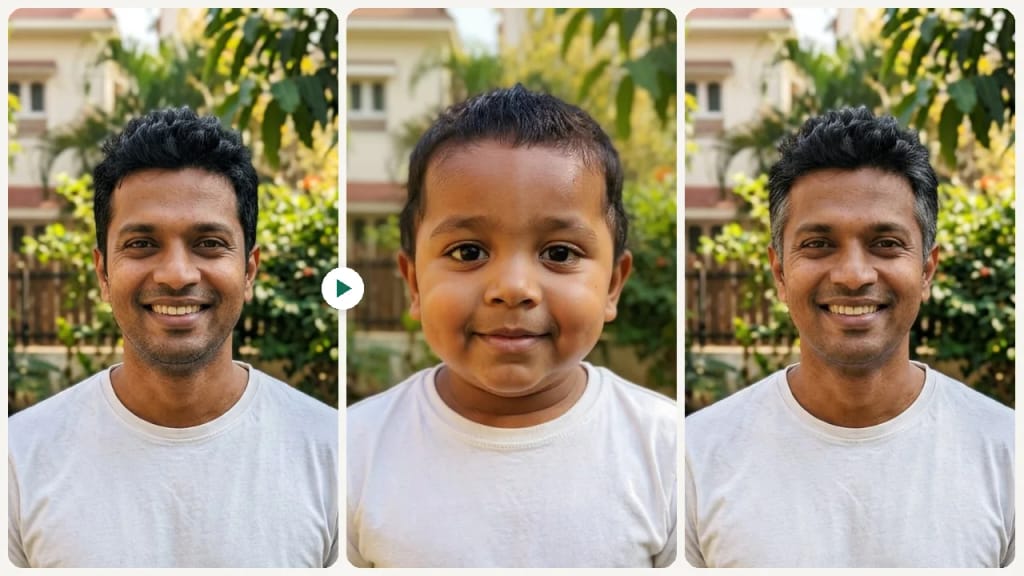
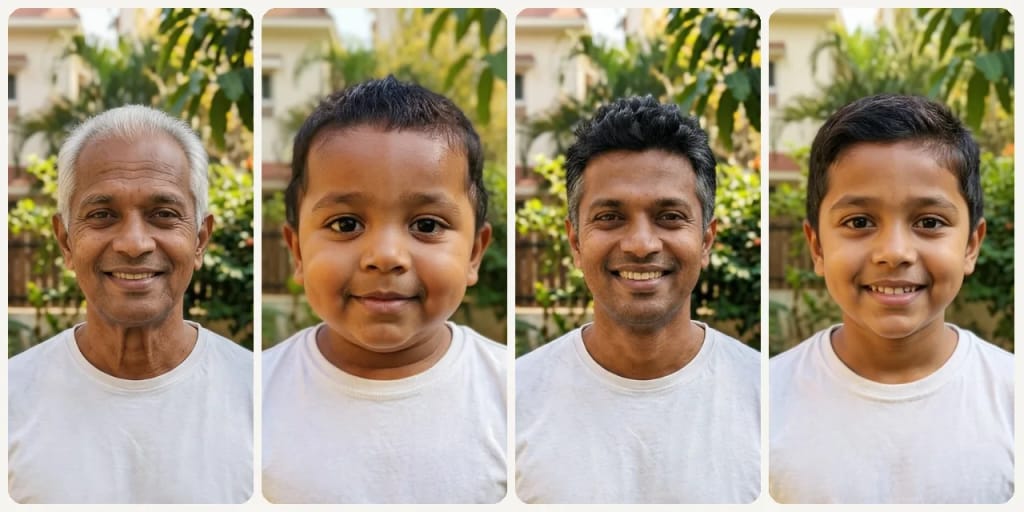
TikTok Duet and Carousel Content
Film a duet reacting to your 80-year-old self, or post a carousel that runs from baby to senior.

Generational Side-by-Side with Parents
Render yourself at your mother's current age and place the images next to each other. Family resemblance comparisons trigger emotional responses and make compelling holiday group-chat content.
Health and Lifestyle Motivation
Seeing a preview of your face at 70 can be a nudge toward sunscreen, sleep and diet habits. It is a fun preview, not a medical prediction.
Hecho distinto, hecho mejor
Tres pasos. Más o menos un minuto.

Upload Your Selfie
Upload a clear front-facing photo with your face fully visible.
Choose an Age Direction
Pick an age: Baby, Childhood, Teenager, Adult, Middle Age or Senior.
Preview & Share
Review the age transformation and share the result with friends or family.
Preguntas frecuentes
Todo lo que necesitas saber. ¿No encuentras lo que buscas?






el tuyo?