Herramienta · hazlo en esta página

AI Add Santa Hat to Photo

Upload a photo and AI turns it into a Santa-hat Christmas scene in the style you pick, usually in under a minute. Great for holiday cards, festive profile pictures, and fun social media posts for the whole family.

9 estilos
~10–30 segundos
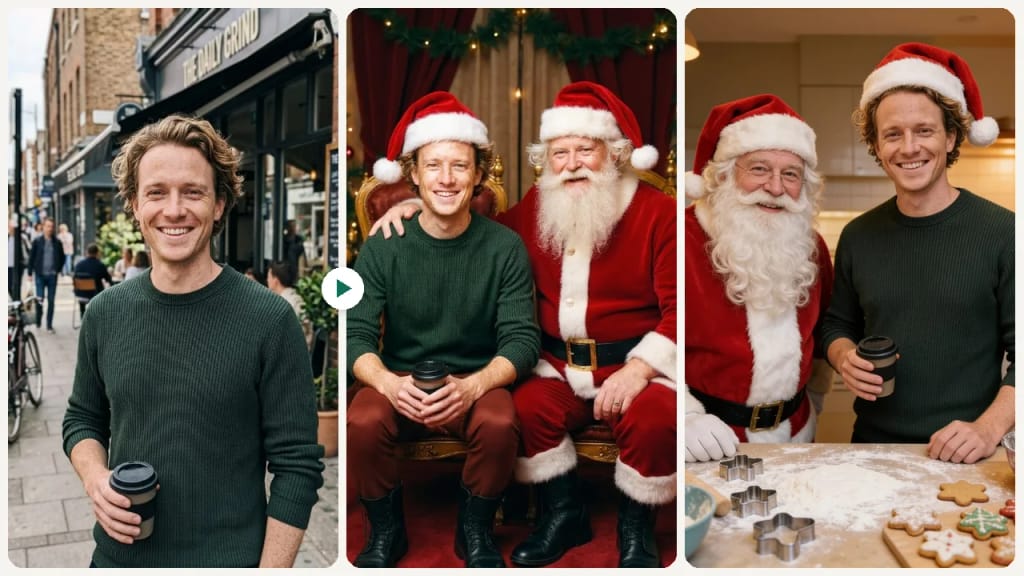
EjemploThe same photo in each style
Cómo hacer uno así
Tool
AI Add Santa Hat to Photo
Estilo
Classic
Proporción
Not recorded
Cómo hacer uno así
Tool
AI Add Santa Hat to Photo
Estilo
Photo with Santa
Proporción
Not recorded
Cómo hacer uno así
Tool
AI Add Santa Hat to Photo
Estilo
Make Cookies with Santa
Proporción
Not recorded
✦ Add Santa Hat Now
Cómo hacer uno así
Tool
AI Add Santa Hat to Photo
Estilo
Classic
Proporción
Not recorded
AI Add Santa Hat to Photo AI result exampleMuestra
Foto original
Original

Selecciona o suelta hasta 10 fotos para usar las mismas opciones en cada una.

Sube tu foto

By uploading, you confirm you have the right to use this photo (see Acceptable Use). Photos of children: please upload only your own family's, or with a parent's OK.

Prueba con un ejemplo:
Ejemplo 1
Elige un estilo
4 créditos por imagen · 6 créditos al registrarte
Modelo: FLUX.1 Kontext Pro · Normalmente 10-30 segundos

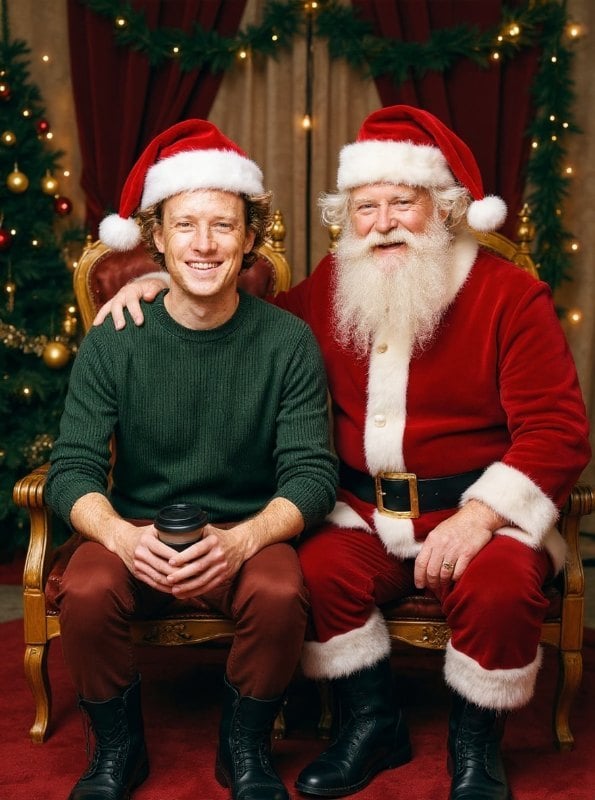
Eidora's AI Add Santa Hat to Photo tool turns a photo into a Santa-hat Christmas scene in one of 9 styles, such as classic, cozy, photo with Santa or sleigh ride. FLUX.1 Kontext Pro, Black Forest Labs' image-editing model, runs 7 of them, usually in 10 to 30 seconds; Photo with Santa runs on GPT Image 2.5, OpenAI's image model, also in 10 to 30 seconds, and keeps everyone in a family photo; the Make Cookies with Santa style runs on Seedream 4.5, ByteDance's image model, usually in 20 to 60 seconds. 6 credits when you sign up; each photo uses 4 credits.

Antes y después

Mira la transformación

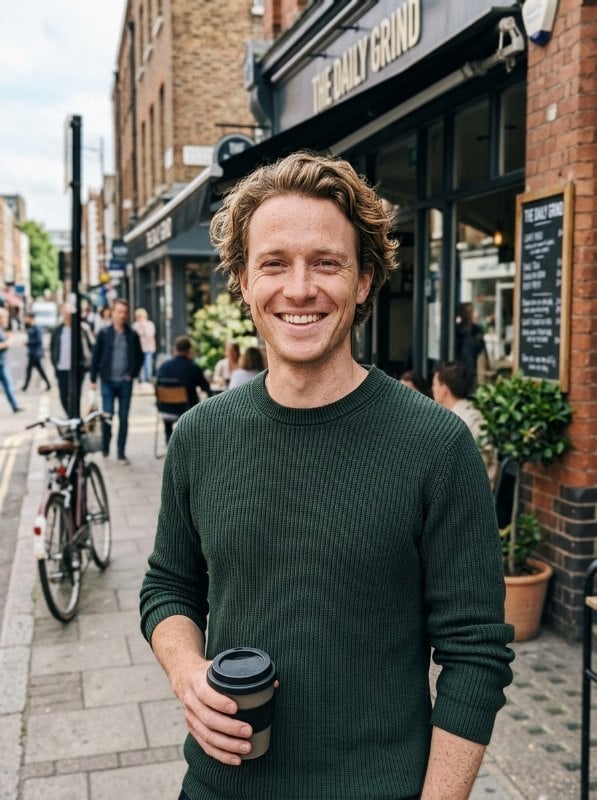
Original photo before AI Add Santa Hat to Photo - Classic styleOriginal photo before AI Add Santa Hat to Photo - Photo with Santa style
Foto original
Antes
AI result in Classic style - AI Add Santa Hat to PhotoAI result in Photo with Santa style - AI Add Santa Hat to Photo
Resultado de muestra
Después
Estilo Classic
AI Add Santa Hat to Photo · Eidora AI
Qué es esta herramienta
AI Add Santa Hat to Photo overview

¿Qué es AI Add Santa Hat to Photo?

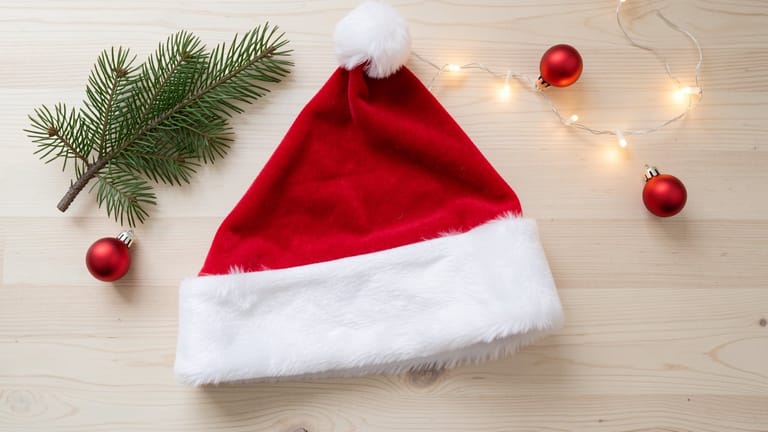
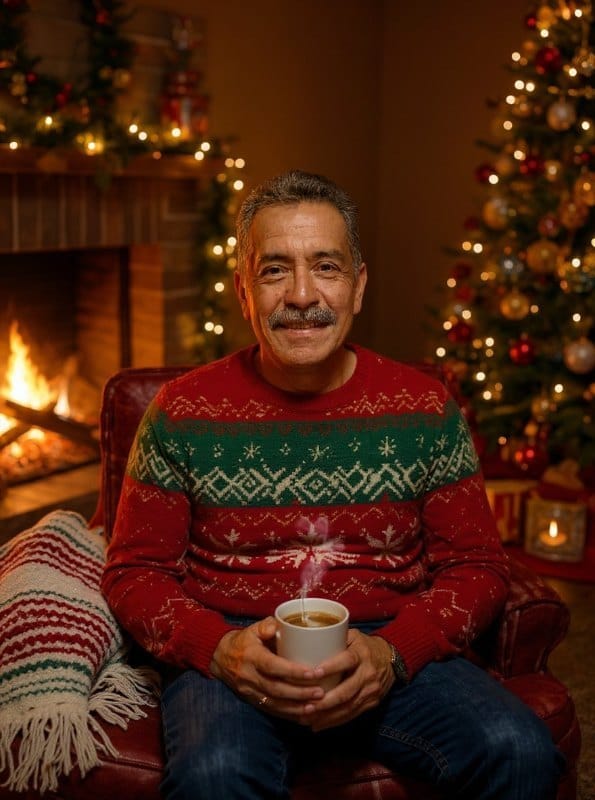
This tool turns one photo into a Santa-hat Christmas scene in the style you pick. Choose from 9 styles: Classic adds a traditional red-and-white Santa hat and leaves your background as it is, Cozy puts you in a warm indoor holiday setting by the fireplace, Random Hat gives you a playful alternative like an elf hat or reindeer antlers, Photo with Santa poses you next to Santa Claus, and Make Cookies with Santa puts you in a flour-dusted kitchen baking holiday cookies with him. The AI is asked to keep any accessories you already have, such as glasses or earrings, exactly as they are. Each run makes one image from one photo, usually in 10 to 30 seconds (20 to 60 for Make Cookies with Santa). It is a fun fit for holiday cards, festive profile pictures, pet accounts dressing up dogs and cats for holiday posts, and families who missed the mall Santa line but still want that classic shot. For the whole family's Christmas card photo, or a photo with Santa you can turn into a card with your own words, use the AI Christmas Photo Generator.

Casos de uso

Lo que puedes crear

AI Add Santa Hat to Photo use case - Holiday Greeting Cards

Holiday Greeting Cards

Quickly add Santa hats to family or group photos to create personalized holiday cards without scheduling a professional photoshoot.

AI Add Santa Hat to Photo use case - Social Media Fun

Social Media Fun

Give your profile pictures and posts a festive makeover by adding Santa hats to selfies, friend group photos, or even pet pictures.

AI Add Santa Hat to Photo use case - Office & Team Holiday Posts

Office & Team Holiday Posts

Add Santa hats to team photos for company holiday newsletters, Slack channels, or social media announcements.

Por qué Eidora

Hecho distinto, hecho mejor

No Manual Positioning
There are no layers to size or rotate: pick a style and the AI draws the Santa hat into the picture for you.
Multiple Festive Styles
Choose from classic red Santa hats, cozy winter looks, whimsical scenes with Santa himself, and more creative holiday themes.
Ready to Share
Get your festive photo ready to share, usually in under a minute, with no badge once you have paid (a plan or any credit pack). Results from free accounts carry an eidora.io watermark.
Cómo funciona

Tres pasos. Más o menos un minuto.

AI Add Santa Hat to Photo: Upload Your Photo
  1. Upload Your Photo

    Select a portrait, selfie, group photo, or pet picture from your device.

  2. Pick a Santa Style

    Choose from Classic Santa hat, Cozy winter look, Photo with Santa, and more festive presets.

  3. Download Your Festive Photo

    Preview the result and download your Santa-hat photo in high quality, ready to share.

Prueba AI Add Santa Hat to Photo ahora
✦ Generar · 4 créditos
Preguntas frecuentes

Preguntas frecuentes

Todo lo que necesitas saber. ¿No encuentras lo que buscas?

¿Todavía tienes preguntas?
Nuestro equipo de soporte te ayuda con gusto.
Contactar con soporte
You can start with a free account: 6 credits when you sign up, enough to use this tool once (4 credits per photo), with 2 left over. Free results carry an eidora.io watermark. After that, credits start at $1.99: a new account can buy 40 credits for $1.99 once, within 72 hours of signing up; credit packs start at $4.99 for 100 credits and plans at $9.9/month. Once you have paid, your results have no badge.
Yes, you can upload a group photo. The AI redraws the whole photo as a Santa-hat scene and can put hats on the people in it, but it does not detect heads one by one, and you cannot choose who gets a hat. Check the result, and run it again if someone is missed.
Absolutely! The tool works with pet photos too — dogs, cats, and other animals can get their own festive Santa hat.
You can upload JPG, PNG, WebP or GIF images up to 10MB. Each run returns one image that you can download and share online.
Usually. The AI redraws the photo with the hat as part of it, so the hat generally follows the angle of your head, including side profiles. It does not measure angles, and there are no controls to move or resize the hat afterward, so if a result looks off, run it again or try another style.
The AI is told to keep the accessories you already have exactly as they are, so it does not deliberately remove your hat, headband, glasses or earrings to make room for the Santa hat. Results with existing headwear can vary, so for the cleanest look, use a photo where your head is uncovered.
Sticker apps paste a flat hat image on top of your photo. Here the AI redraws your photo as a Christmas scene in the style you pick, so the hat is part of the picture rather than a layer on top. Styles like Cozy, Sleigh Ride or Photo with Santa also change the setting around you.
Yes. You can run the same photo with any of the 9 styles, one image per run, and each run uses 4 credits. Classic adds the hat and keeps your original background, while styles like Cozy, Winter Wonderland or Sleigh Ride put you in a new holiday scene.
Your uploads, prompts and results are saved privately to your history so you can view and download them later, and only you can open them. To create a result, your input is sent to the AI model provider that runs the generation. We do not sell your content or use it to train AI models.
Usually 10 to 30 seconds. Make Cookies with Santa runs on a different model and usually takes 20 to 60 seconds.
Permitted uses depend on your rights in the original photo, applicable law, and the selected third-party model or provider terms. Buying Pro or Ultra changes usage limits and history retention, but does not itself grant additional intellectual-property rights.
6 créditos al registrarte
¿Listo para hacer
el tuyo?
9 estilos · 4 créditos por imagen · 6 créditos al registrarte · sin tarjeta
6 créditos al registrarte · sin tarjeta
~10–30 segundos
6 créditos al registrarte