The viral shoulder ride, with your face
Shoulder Carry AI Filter
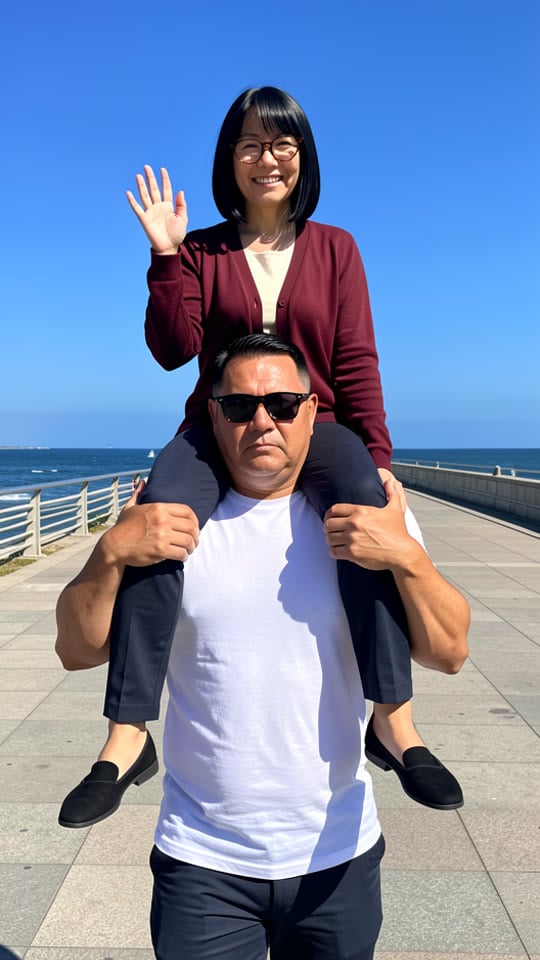
Upload one photo and get yourself riding high on the shoulders of a huge man in sunglasses, walking straight at the camera. The still first, then a 6-second video.
JPG, PNG, WebP or HEIC.
Eidora's Shoulder Carry AI Filter turns one photo of you into a vertical still of you sitting on the shoulders of a huge man in sunglasses, made with GPT Image 2.5, OpenAI's image model (4 credits, usually 20 to 60 seconds). Then a 6-second video on MiniMax H3 (25 credits, usually 2 to 5 minutes per video; videos need a paid plan or a credit pack: a new account can buy 40 credits for $1.99 once, enough for one video, and the one-time $4.99 Starter pack covers four videos). 6 credits when you sign up, enough to make the still. An unofficial, original scene: not affiliated with any app, template creator or artist.
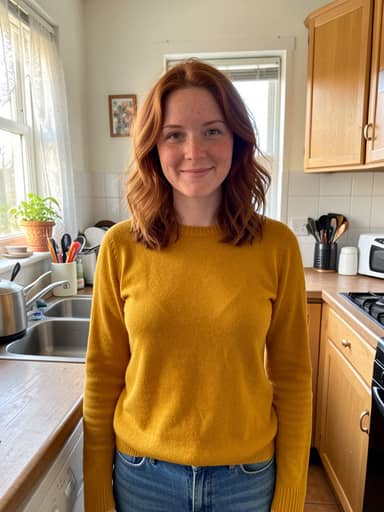
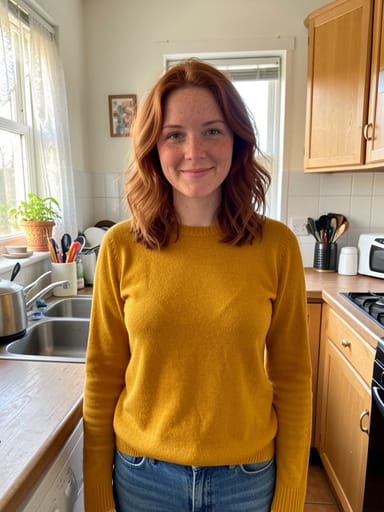 Made from this photo
From one photo to the shoulder carry shot
Samples to show the idea.
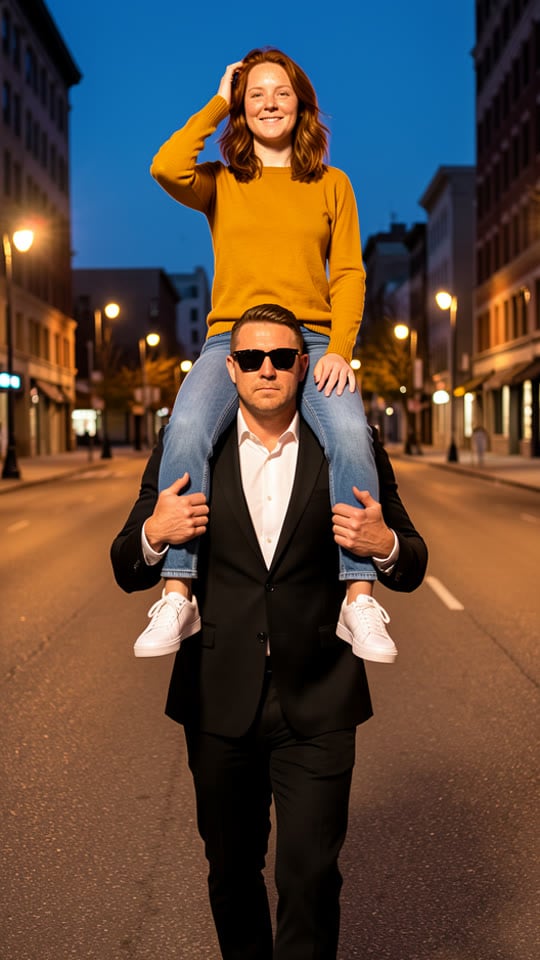
 Sample
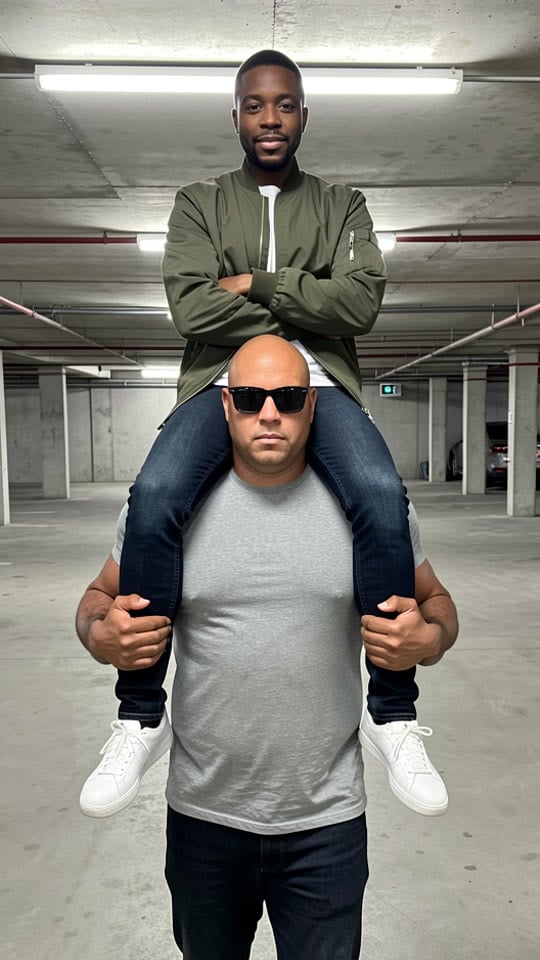
 Sample
 Sample
How to make your Shoulder Carry AI Filter video
Upload a photo of yourself
A clear, well-lit photo with your face visible works best. Waist-up or full-body photos give the most natural pose, but a selfie works too.
Create your shoulder carry photo
Usually in 20 to 60 seconds you get a vertical shot of you sitting on a big man's shoulders. A free account comes with 6 credits.
Make it move
Turn the still into a 6-second vertical video for 25 credits. Download it, add a track you have the rights to in TikTok, Reels or CapCut, and post.
What is the shoulder carry AI filter trend?
In late October 2026 short vertical clips of people being carried high on someone's shoulders spread on TikTok, tagged "shoulder carry trend" and usually made with a CapCut template over a fast, sped-up track. Many people look for the how-to as "ai tutorial shoulder carry" or "trend template shoulder carry".
The appeal is the attitude: you sit up high, chin up, while a much bigger person does the walking. That is the scene this page recreates around your face.
How this maker does it
Upload one photo and press the button. The prompt is already written: the still keeps your face, hair and clothes and puts you on the shoulders of a big man in sunglasses on an empty street at dusk. You do not need a second person or a second photo.
Then, if you want it, the still becomes a 6-second vertical video with the MiniMax H3 video model. Add your own music afterwards.
Make your own
Upload a photo · No prompt to write · 4 credits · about 30 seconds
Create my shoulder carry photoWhat you can use it for
Three easy ways to use the result:
- A big-entrance TikTok or Reel, with you arriving on someone's shoulders.
- A funny profile picture or Story with a lot of attitude.
- A group-chat joke: make one for each friend and send them round.
Tips for the best result
The model keeps the face from your photo, so the photo matters more than anything else.
- Use one person per photo, facing the camera, in good light.
- Skip sunglasses and hats.
- Waist-up or full-body photos give the most natural pose.
- If the face drifts, try a sharper photo taken from the front.
An unofficial version of the trend
This page is an independent, unofficial take on the trend. It is not affiliated with or endorsed by CapCut, TikTok, any template creator or any artist. It uses no one else's face, no original music and no footage; the scene is original. If you are a rights holder with a concern, contact us and we will take the page down the same day.
People also search for this as
- trend template shoulder carry
- ai tutorial shoulder carry
- shoulder carry ai filter trend
- shoulder carry trend
- ai shoulder carry effect
- shoulder carry ai effect
Shoulder Carry AI Filter questions
Is the shoulder carry ai filter free?
The still photo runs on a free account: it starts with 6 credits; each still uses 4 credits. Videos use 25 credits and need a paid plan or a credit pack. A new account can buy 40 credits for $1.99 once, within 72 hours of signing up, enough for one video; otherwise the one-time $4.99 Starter pack (100 credits) covers four videos, with no subscription.
What is the shoulder carry trend?
It is a TikTok trend from late October 2026, usually made with a CapCut template, where people post a short vertical clip of themselves being carried high on someone's shoulders over a fast, sped-up track. This page makes a scene version with your own face; the original template, clips and music are not used.
Is this made by CapCut or TikTok?
No. Eidora is an independent tool and is not affiliated with, endorsed by or sponsored by CapCut, TikTok, any template creator or any artist. The scene is original, and no one else's face, footage or song is used.
Who is the man carrying me?
An invented figure the model draws for each picture, not a real person or a celebrity. He looks different from one result to the next, so you do not need a second photo.
Will it still look like me?
The still keeps your face, skin tone, hairstyle, glasses and facial hair while changing the scene. A sharp, well-lit photo taken from the front keeps the likeness best; if the face drifts, try another photo.
What kind of photo works best?
One person, face clearly visible and well lit, no sunglasses. Waist-up or full-body photos give the most natural pose. Group photos get merged into one figure, so crop to one person first.
How long does it take?
Usually 20 to 60 seconds for the still and 2 to 5 minutes for the video. Keep the tab open while the video renders.
Does the video come with music?
No, the 6-second video is silent. Add a track you have the rights to in TikTok, Reels or CapCut; do not use the original song from the trend.
Can I post the result on TikTok and Instagram?
Yes. Results are vertical 9:16, the format TikTok, Reels and Shorts expect. Stills made on a free account carry an eidora.io watermark; paid plans and credit-pack holders get clean results, and videos never carry it.
What happens to my photo?
Your upload and results are kept privately in your history so you can download them again; only you can open them. To make the result, the photo is sent to the AI model provider that renders it. We don't sell your content or use it to train AI models.
Your photo, the shoulder carry ai filter way. About 30 seconds for the still.
Create my shoulder carry photo