AI Concept Map Maker
Type a topic or your notes.Get a clear concept map.
Give a topic, paste a paragraph or a list of terms, and AI draws a concept map: the key ideas, joined by words that say how they relate.
6 نقاط عند التسجيل، تكفي لنتيجة أولى (4 نقاط لكل مرة).
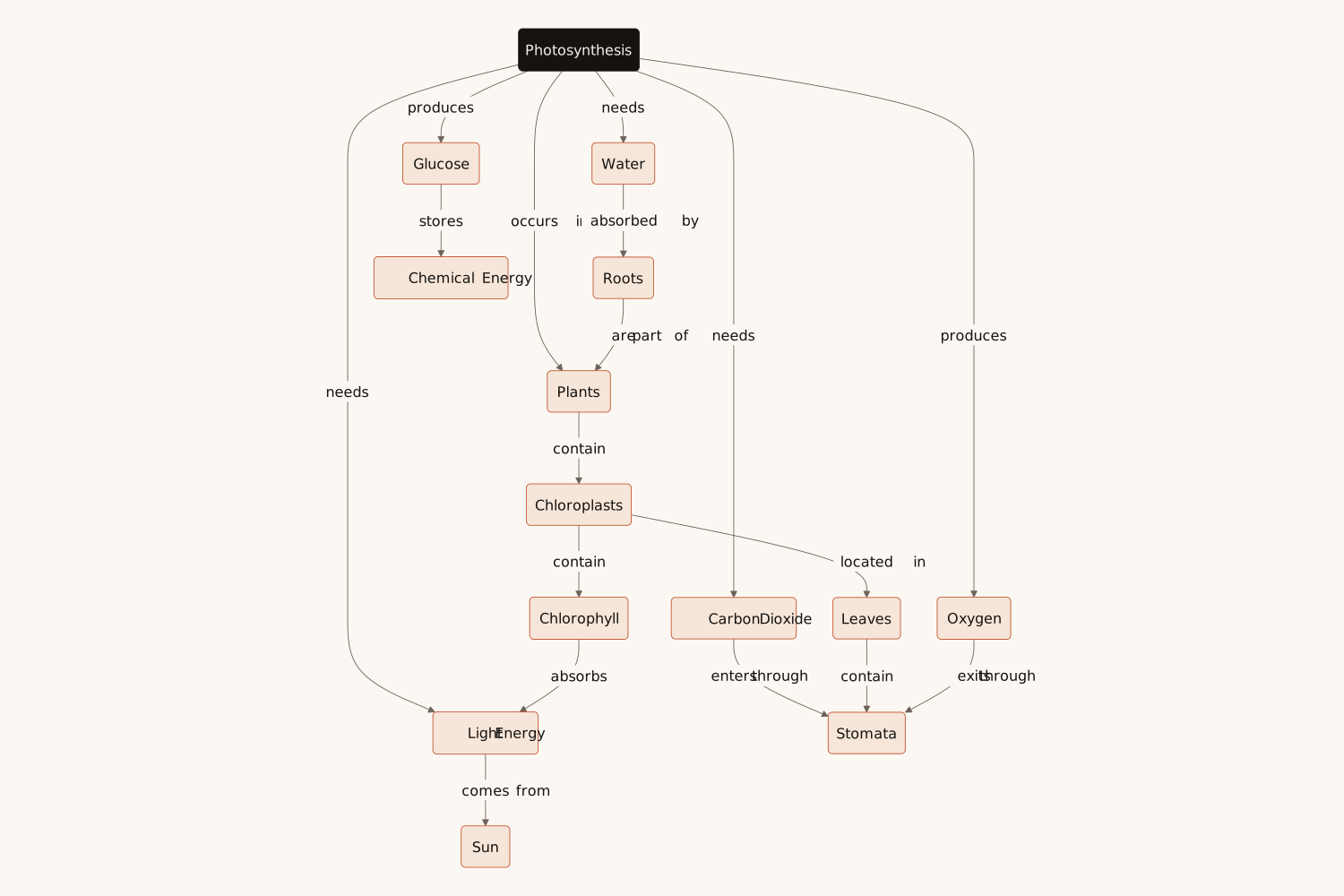
A sample from the “Photosynthesis” example text. Write your own text and press Generate to make yours.
Eidora's AI Concept Map Maker turns a topic, your notes or a list of terms into a concept map of up to 25 concepts joined by labeled links, in under 30 seconds. 6 credits when you sign up; each map uses 4 credits. Download PNG or SVG, copy the Mermaid code, or open it in draw.io to move and restyle the boxes.
A concept map, drawn from a topic or your notes
A concept map shows ideas as boxes and the relations between them as labelled arrows, so that each pair reads as a sentence: "Photosynthesis needs sunlight", "Glucose stores chemical energy". Unlike a mind map, which only branches out from one centre, a concept map also joins ideas across branches, which is why teachers use it to check understanding and students use it to revise.
Here you type a topic, such as "photosynthesis", or paste your notes or a list of terms. AI picks the key concepts, puts the main idea at the top, writes a verb on every link and adds the cross-links that join the branches. From your notes it maps only what your notes say; from a topic it draws the map a teacher would draw.
Who uses this — and how
Notes to a map
Topic to a map
Ideas to a map
Type. Generate. Learn.
Built for real learning
Common
questions
About the concept map maker.
Get the concept map.
6 credits when you sign up · Topics or notes · PNG, SVG or Mermaid