Toolpublic route

AI Image Translator

Instantly convert foreign language text within any image into your preferred language. Perfect for travelers, students, and businesses communicating across borders.

Instant resultsFree downloadWorks on mobile

Preset route

Choose the public starting point before you open Studio

Open Studio →

Or choose a popular preset:

Sample compare

See the promise before you move into execution

AI Image Translator example result beforeBefore
AI Image Translator example result afterAfter

AI Image Translator example result

The public page explains the workflow. `/studio` remains the execution layer.

Sample Results

See what this tool can do with real photos.

Before - AI Image Translator example resultBefore
After - AI Image Translator example resultAfter

AI Image Translator example result

User Reviews

4.9

Based on 396 reviews

5 stars
73%
4 stars
16%
3 stars
3%
2 stars
2%
1 stars
6%
V.K.

Victoria K.

Social Media Manager

"Managing 4 brand accounts means 40+ images a week. Consistent editing across all of them used to be impossible before this."

P.L.

Peter L.

E-Commerce Owner

"Used this for my Etsy shop product photos. Backgrounds come out clean on the first try and I list items 3x faster now."

G.N.

George N.

Etsy Seller

"White background removal on jewelry photos used to take me 20 minutes per item. Now it's instant and the edges around chains are clean."

What Is AI Image Translator?

The AI Image Translator helps you understand and share visual content regardless of the language it contains. Upload photos of menus, signs, documents, or product labels, and our tool precisely identifies and translates the text directly on the image. This means no more manually typing foreign words into a separate translator or struggling to understand instructions in another language. It's ideal for tourists navigating new cities, students deciphering academic papers, or small businesses localizing marketing materials without needing a graphic designer. Anyone who encounters images with foreign text will find this tool invaluable for quick comprehension and seamless communication.

Why Choose This Tool

Understand Any Language

Instantly grasp the meaning of text in images from various languages, removing communication barriers.

Maintain Visual Context

See translated text overlaid directly on the original image, preserving the visual layout and design.

No Manual Typing

Avoid tedious retyping of foreign words; the tool automatically extracts and translates text for you.

Quick & Efficient

Get translations in seconds, making it fast to understand foreign signs, documents, or product labels.

Free Accessibility

Translate text in image AI free, making this essential tool available to everyone without cost.

Supports Many Formats

Upload JPEG, PNG, or other common image types and get clear, accurate translations.

Struggling to Understand Foreign Text in Images?

Manually typing out foreign words from a photo into a separate translator is slow and error-prone. Trying to decipher unfamiliar languages on signs or menus can lead to confusion and missed opportunities. Generic translation apps often lose the visual context, making it hard to connect the translation back to the original image.

How It Works

1

Upload Your Image

Drag and drop or select an image containing text you want to translate.

2

Select Languages

Choose the original language detected in the image and your desired translation language.

3

Get Translated Image

Download your image with the foreign text seamlessly replaced by the translation.

Who Is This For?

Popular use cases for this tool.

user

Understand Foreign Menus

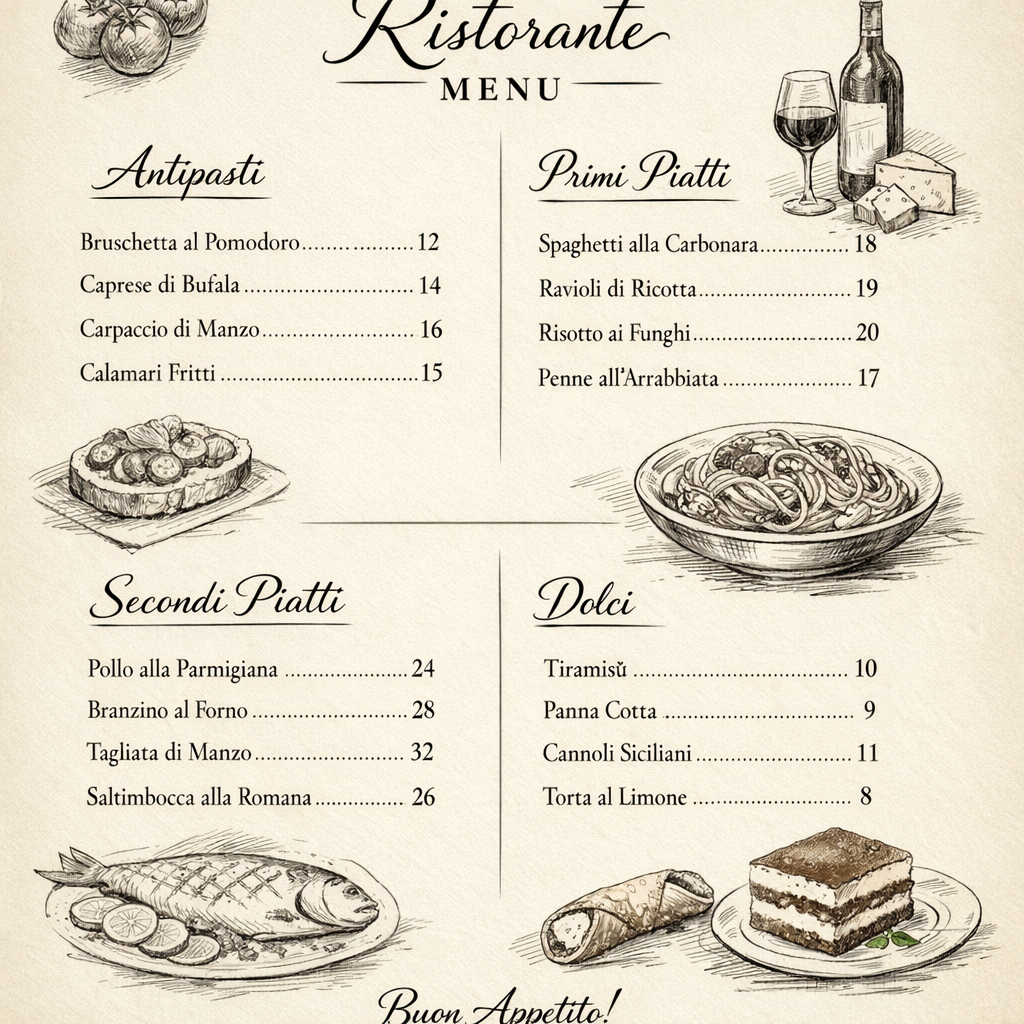
Travelers can quickly translate restaurant menus to make informed dining choices abroad. This helps avoid ordering mistakes and enhances the overall cultural experience.

briefcase

Analyze Global Product Labels

Global businesses can translate product packaging and labels from international markets for competitive analysis or compliance checks. This aids in understanding foreign product features and regulatory requirements.

sparkles

Decipher Academic Documents

Researchers and students can translate graphs, charts, or scanned document images containing foreign text. This facilitates understanding research papers and educational materials from diverse linguistic sources.

Frequently Asked Questions

What types of images can I use with this translator?

You can upload a wide range of images, including photos of signs, menus, documents, product packaging, screenshots, and more. As long as the text is reasonably clear within the image, our tool can process it effectively.

Is this AI image translator truly free to use?

Yes, you can translate text in image AI free using our tool for a significant number of translations. We aim to provide accessible solutions for everyone needing quick image text translation.

How accurate are the translations?

Our AI uses advanced optical character recognition (OCR) and machine translation models, offering highly accurate translations for most common languages. While context can sometimes be tricky for any AI, it strives for the best possible interpretation.

Does it preserve the original image layout?

Yes, a key feature is maintaining the visual context. The translated text is overlaid onto the original image, attempting to match the font style and position as closely as possible.

What languages does the AI Image Translator support?

We support a broad spectrum of languages for both input (original image text) and output (translated text). This includes major global languages and many regional ones, constantly expanding our capabilities.

Can I translate handwritten text in images?

While our tool excels with printed text, its ability to translate handwritten text depends on the legibility. Clear, neat handwriting might be processed, but highly stylized or messy script may pose challenges.

What image file formats are supported for upload?

You can upload common image formats such as JPEG, PNG, and WEBP. Ensure your image is clear and the text is legible for the best translation results.

Do I need to register or create an account to use it?

No, you can start using our AI Image Translator immediately without any registration or account creation. Simply upload your image and translate.

Is there a limit to the number of translations I can perform?

We offer a generous free tier for translating text in images. For very high-volume or commercial use, premium options might be available, but most users will find the free limits sufficient.

How does the tool handle text in complex backgrounds?

Our AI is designed to intelligently identify text even against complex or busy backgrounds. However, very low contrast or extremely cluttered images might affect accuracy.

Can I edit the translated text after it's generated?

The tool provides the translated image for download. If you need to edit the text itself, you would typically download the image and then use an image editor or re-upload the image to extract the text for manual editing elsewhere.

Is my uploaded image data kept private?

We prioritize user privacy. Uploaded images are processed securely and are not stored longer than necessary for the translation process. We do not use your images for training purposes or share them with third parties.