The Diwali AI portrait, with your face
Diwali AI Photo
Upload one photo and get yourself in festive Diwali clothes, holding a glowing diya with rangoli and string lights behind you. Free still first, then a 4-second video in the lamp light.
JPG, PNG or WebP up to 10 MB.
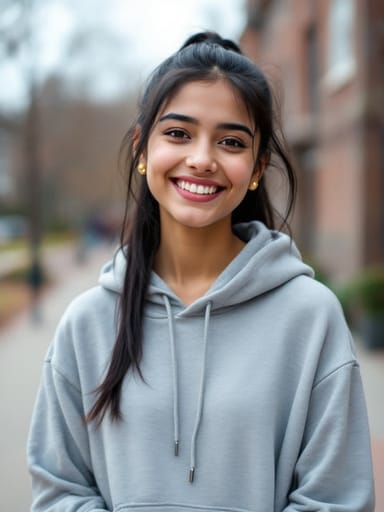 Made from this photo
From one photo to Diwali night
Real results made on this page. Nothing below is retouched.
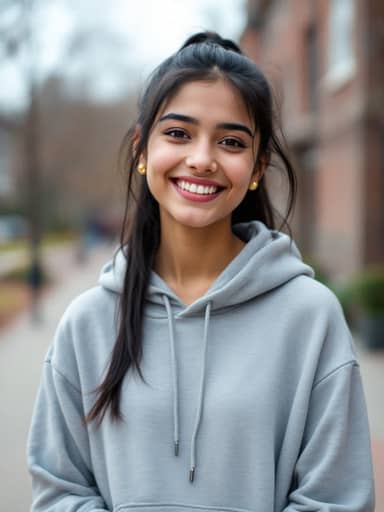 4-sec video
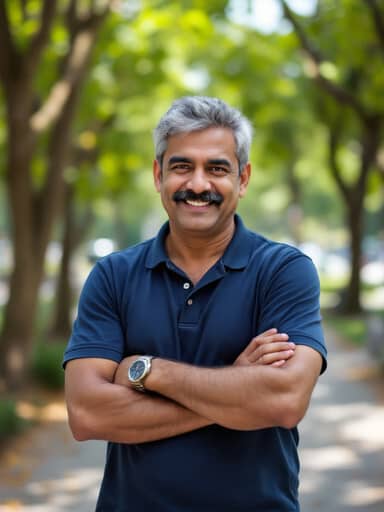 4-sec video
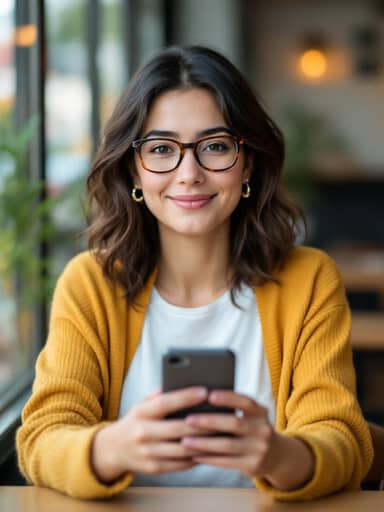 4-sec video
How to make your Diwali AI Photo video
Upload a photo of yourself
A clear, well-lit photo with your face visible works best. A selfie works; a waist-up photo gives the most natural pose with the diya.
Create your Diwali photo
Usually in 20 to 60 seconds you get a vertical Diwali night portrait: you in festive clothes, holding a lit diya, with rangoli and lights behind you. A free account comes with 16 credits.
Bring it to life
Turn the still into a 4-second vertical video for 40 credits: you smile and turn as the lamps flicker. Download it, add a song in Instagram, YouTube Shorts or CapCut, and post.
What is the Diwali AI photo trend?
Diwali, the festival of lights, is when homes are lit with clay diyas and string lights, doorsteps are decorated with colourful rangoli, and families dress up in their best silk for photos. It is a seasonal trend that comes back every year: in the week before Diwali, searches for "diwali ai photo" and "diwali ai photo prompt" climb as people make AI portraits of themselves in the festive look, peak in Diwali week and fade after it. In 2026 Diwali falls on November 8.
This page makes the look from your own photo: you in festive clothes, holding a lit diya at a doorway glowing with rangoli and lights, as a vertical still you can post right away, then a short video of you smiling and turning in the lamp light if you want it.
Diwali AI prompt: how people make it in a chat app
In a chat app: attach a clear photo of yourself, paste a prompt that describes the outfit, the diya, the rangoli and the Diwali night, ask it to keep your face unchanged, and send. If the face comes out different, try again with a sharper photo.
Here it is one step: upload the photo above and press the button. The prompt is already written, and the still keeps your face, hair and expression.
- A Diwali AI prompt to start from in any image app: "Turn me into a festive Diwali night portrait: a silk saree in deep magenta with gold zari borders and gold jhumkas, holding a small lit clay diya in both hands, standing at a doorway with a colourful rangoli, small diyas, marigold garlands and warm string lights, soft golden bokeh, 50mm lens. Keep my face exactly the same."
Tips for the best Diwali AI result
The model keeps the face from your photo, so the photo matters more than anything else.
- Use one person per photo, facing the camera, in good light.
- Skip sunglasses and hats; glasses you wear every day stay on.
- Waist-up photos give the most natural pose with the diya.
- If the face drifts, try a sharper photo taken from the front.
Not an official Diwali product
This is an unofficial, fan-made take on a popular festival look. It is not affiliated with any AI chat app, any creator, or any Diwali event or brand, and it uses no songs, videos or pictures from them.
People also search for this as
- diwali ai photo
- diwali ai photo editing
- diwali ai photo prompt
- diwali ai image
- diwali ai video
- diwali photo editing ai
- deepavali ai photo
Diwali AI Photo questions
Is the Diwali AI photo maker free?
The still image runs on a free account: it starts with 16 credits and gets 4 more every day; each still uses 4 credits. Videos use 40 credits and need a paid plan or a credit pack: the one-time $4.99 Starter pack (100 credits) covers two videos, with no subscription.
Do I need a Diwali AI prompt?
No. Many people make a Diwali AI photo by pasting a long prompt into an AI chat app; here the still is made with the Seedream model and the video with Vidu, with the prompt already built in. Eidora is not affiliated with any AI chat app or any Diwali event.
What will I be wearing?
Traditional festive clothes matched to the person in the photo: a silk saree or lehenga with gold zari borders and gold jhumkas, or a silk kurta with subtle gold embroidery and a stole over one shoulder.
Will it still look like me?
The still keeps your face, skin tone, hairstyle, glasses, beard and expression while changing the outfit and the scene. A sharp, well-lit photo taken from the front keeps the likeness best; if the face drifts, try another photo.
What kind of photo works best?
One person, face clearly visible and well lit, no sunglasses. Selfies work; waist-up photos give the most natural pose with the diya. Group photos get merged into one figure, so crop to one person first.
How long does it take?
Usually 20 to 60 seconds for the still and 30 to 90 seconds for the video. Keep the tab open while the video renders.
Does the Diwali video have music or fireworks sound?
No, videos are silent so you can pick the song yourself. Add a Diwali track from Instagram's or YouTube Shorts' audio library, or in CapCut, when you post.
Can I post the result on Instagram and WhatsApp?
Yes. Results are vertical 9:16, the format Reels, Stories, Shorts and WhatsApp status expect. Stills made on a free account carry a small eidora.io badge in the corner; paid plans and credit-pack holders get clean results, and videos never carry it.
What happens to my photo?
Your upload and results are kept privately in your history so you can download them again; only you can open them. To make the result, the photo is sent to the AI model provider that renders it. We don't sell your content or use it to train AI models.
Your photo, the Diwali AI Photo way. About 30 seconds for the still.
Create my Diwali photo