Type a topic or your notes.Get a clear concept map.
Give a topic, paste a paragraph or a list of terms, and AI draws a concept map: the key ideas, joined by words that say how they relate.
<30s
per concept map
0
boxes to drag
25
concepts per map
PNG SVG
plus Mermaid code
1
free try; sign up free to download
What Is This
A concept map, drawn from a topic or your notes
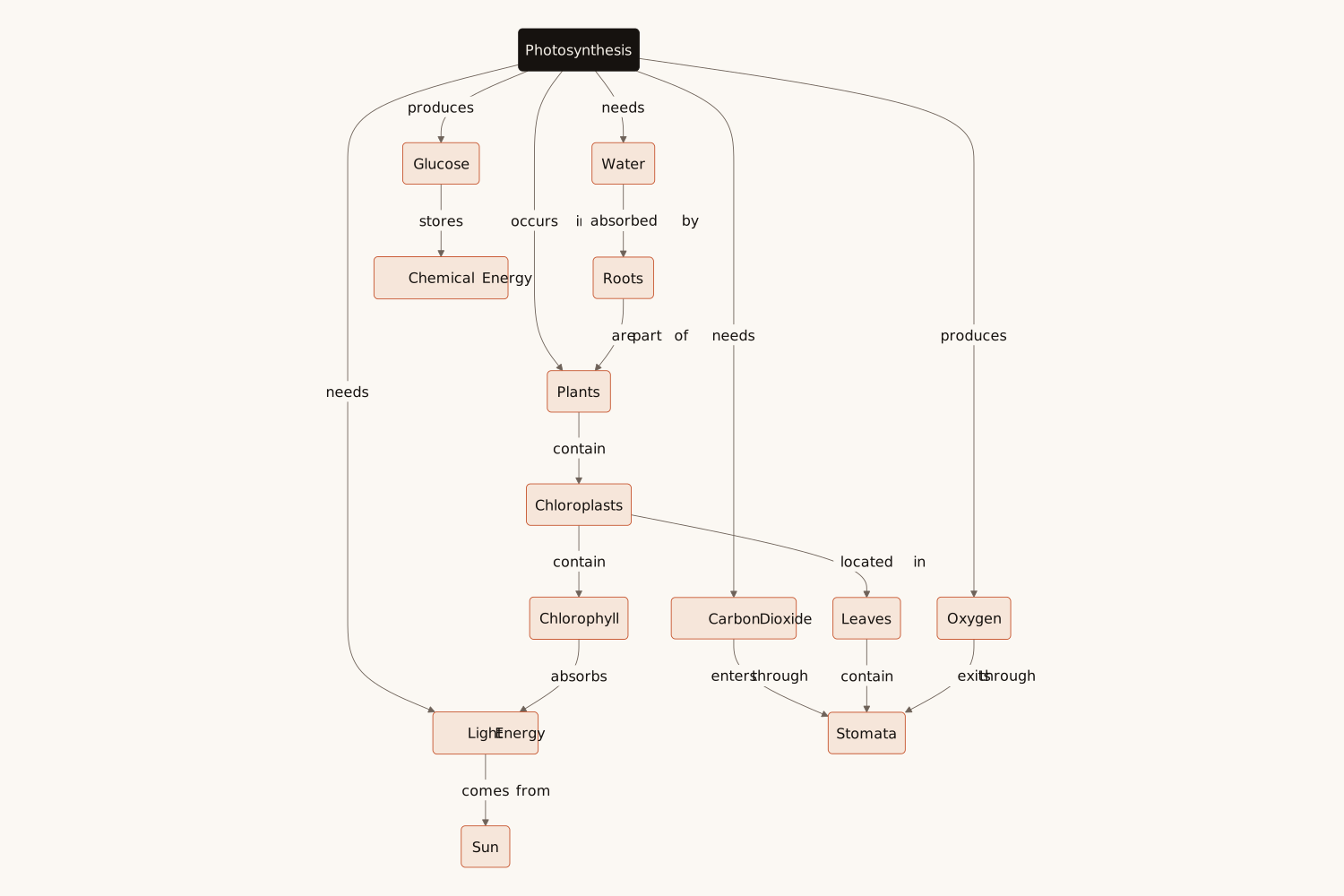
A concept map shows ideas as boxes and the relations between them as labelled arrows, so that each pair reads as a sentence: "Photosynthesis needs sunlight", "Glucose stores chemical energy". Unlike a mind map, which only branches out from one centre, a concept map also joins ideas across branches, which is why teachers use it to check understanding and students use it to revise.
Here you type a topic, such as "photosynthesis", or paste your notes or a list of terms. AI picks the key concepts, puts the main idea at the top, writes a verb on every link and adds the cross-links that join the branches. From your notes it maps only what your notes say; from a topic it draws the map a teacher would draw.
A concept map is a diagram of ideas (concepts) joined by labelled arrows that say how they relate, so each link reads as a sentence. The main idea is usually at the top, more specific ideas below it, with cross-links between the branches.
A mind map branches out from one central topic, and its lines carry no words. A concept map can join any idea to any other, and every link says how they relate, so it shows understanding rather than a list of subtopics. For a branching outline, use Eidora’s mind map maker.
Yes. Type a topic or paste your notes, and Eidora’s AI picks the key concepts, labels every link and draws the map in under 30 seconds.
Yes. Paste a paragraph, your notes or a list of terms. The map uses the ideas and words in your text and adds no facts your text does not state.
You get the concept map a teacher would draw for it: 10 to 16 concepts in 3 or 4 levels, with only well-established facts. Check it against your course, and add your own notes to make it yours.
Every link carries a short verb or verb phrase, such as "needs", "produces" or "is part of", so concept, link and concept read as a sentence. Vague labels such as "is related to" are not used.
Up to 25 concepts and 40 links per map. For a whole course, make one map per chapter: smaller maps are easier to read and to learn from.
Yes. Write your topic or notes in your language, and the concepts and links come back in the same language.
Yes. Press "Edit in draw.io" to open the map in draw.io, where every box becomes a shape you can move and restyle. You can also change your text and generate again, or copy the Mermaid code into Mermaid Live, GitHub, Notion or any Markdown editor that supports it.
PNG for presentations, worksheets and documents, SVG for scalable graphics, and Mermaid code for GitHub, Notion, and any Markdown editor that supports it.
Permitted uses depend on your input rights, applicable law, and the selected third-party model or provider terms. Verify those terms before publishing course materials or client deliverables.
Not to try it. You can make one diagram a day without an account and see the result. To download the concept map, copy the Mermaid code or open it in draw.io, sign up free: a free account gets 16 credits to start and 4 free credits every day, and each map uses 4 credits. Without an account, Eidora’s diagram tools share that one diagram a day. Download the map when it is ready; it is not saved to your history.
From a page of notes to one clear picture
Type a topic or your notes. Get the concept map.
Free to try · Topics or notes · PNG, SVG or Mermaid