The viral ChatGPT Christmas photo, with your face
AI Christmas Photo Trend
Upload one photo and get the candy cane glam shoot everyone posted last December: sparkly white, a giant peppermint lollipop, candy canes and fairy lights. Free still first, then a 6-second video.
JPG, PNG, WebP or HEIC.
Eidora's AI Christmas Photo Trend turns one photo of you into a vertical candy cane still of you in sparkly white with a giant peppermint lollipop, made with GPT Image 2.5, OpenAI's image model (4 credits, usually 10 to 30 seconds). Then a 6-second video on MiniMax H3 (25 credits, usually 2 to 5 minutes per video; videos need a paid plan or a credit pack: a new account can buy 40 credits for $1.99 once, enough for one video, and the one-time $4.99 Starter pack covers four videos). Sign up free for 6 credits to make the still.
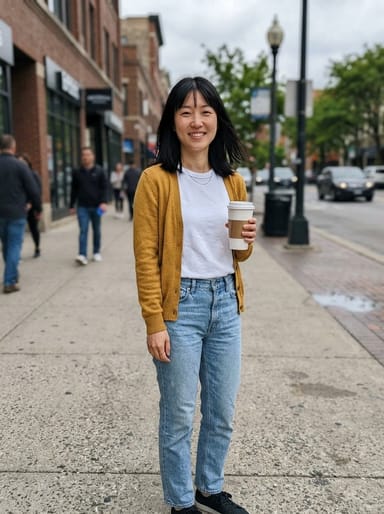 Made from this photo
From one photo to the candy cane shoot
Real results made on this page. Nothing below is retouched.
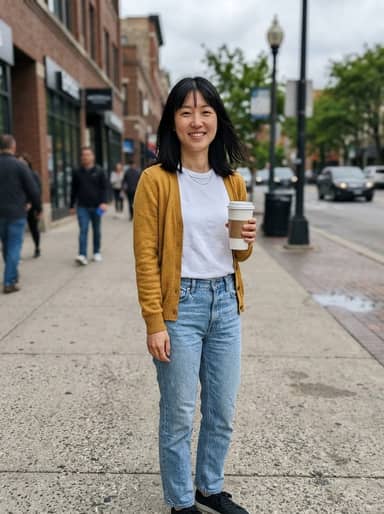 6-sec video


How to make your AI Christmas Photo Trend video
Upload a photo of yourself
A clear, well-lit photo with your face visible works best. Full-body or waist-up photos give the most natural pose, but a selfie works too.
Create your candy cane photo
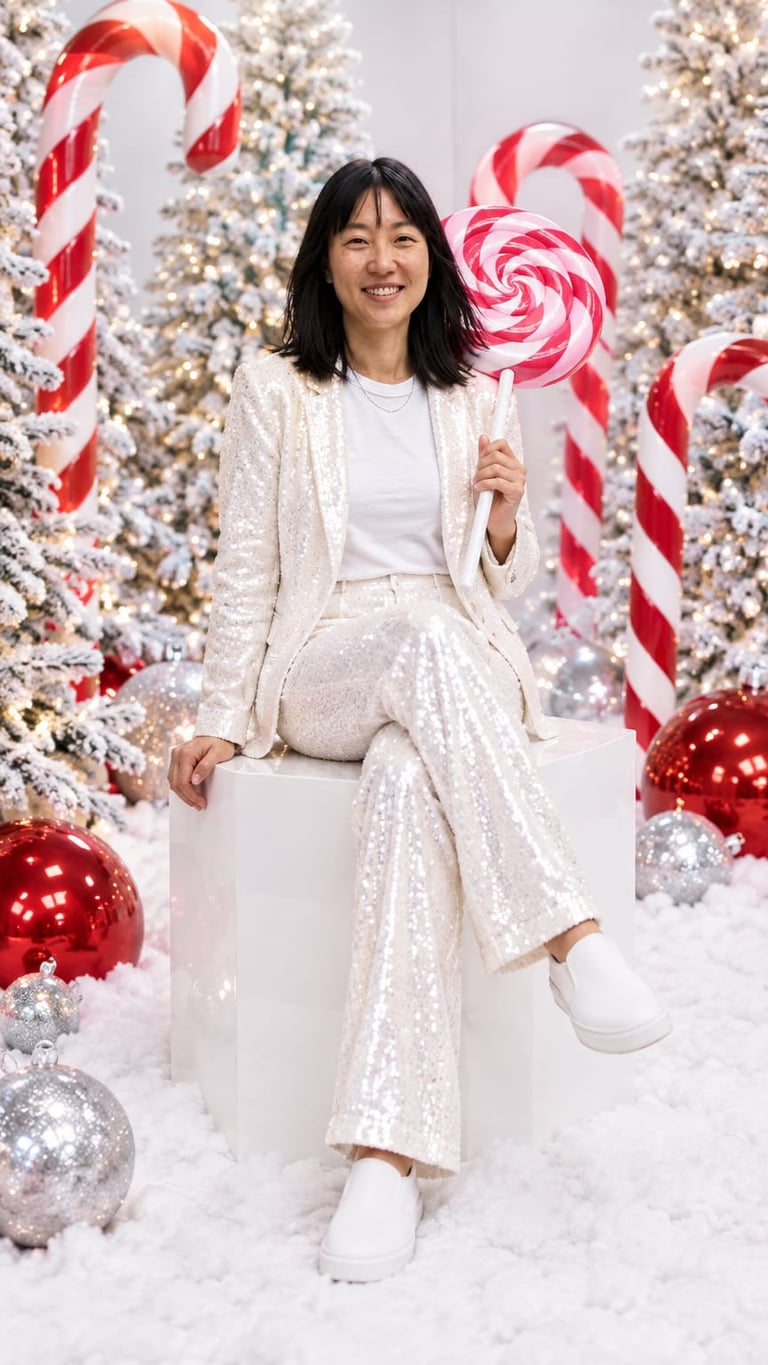
Usually in 10 to 30 seconds you get a vertical holiday studio shot: you in sparkly white with a giant peppermint lollipop, candy canes and fairy lights. A free account comes with 6 credits.
Make it move
Turn the still into a 6-second vertical video for 25 credits. Download it, add a Christmas song in TikTok, Reels or CapCut, and post.
What is the AI Christmas photo trend?
In December 2025 people started uploading an everyday selfie to ChatGPT with a long prompt and getting back what looks like a professional holiday photoshoot. The posts spread on TikTok, Instagram and Facebook as the "ChatGPT Christmas photo" trend. Many people search for it as the "AI Christmas photoshoot".
The best-known version is the candy cane shoot: a sparkly white sequined outfit, a seat on a glossy white cube, a giant pink-and-white peppermint lollipop over the shoulder, oversized candy canes, frosted trees, fairy lights and big red baubles. That is the look this page recreates around your face.
How to do the ChatGPT Christmas photo
In ChatGPT: attach a clear photo of yourself, paste a prompt that describes the set, the outfit and the pose, ask it to keep your facial features unchanged, and send. If the face comes out different, ask again with a sharper photo.
Here it is one step: upload the photo above and press the button. The prompt is already written, and the still keeps your face, hair and expression.
- A prompt to start from in any image app: "Turn me into a glamorous holiday studio portrait: sparkly white sequined outfit, sitting on a glossy white cube with legs crossed, a giant pink-and-white peppermint lollipop over one shoulder, frosted white Christmas trees with fairy lights, oversized candy canes and big red baubles, bright 55mm studio lighting. Keep my face exactly the same."
Make your own
Upload a photo · No prompt to write · 4 credits · about 30 seconds
Create my candy cane photoMore ways to make a Christmas photo
This page makes one look for one person. For the whole family, a photo with Santa, or a card with your own greeting, use the AI Christmas Photo Generator: it keeps every face in photos of 2 to 7 people, pets included. Add Santa Hat to Photo keeps your photo as it is and adds a Santa hat.
Tips for the best result
The model keeps the face from your photo, so the photo matters more than anything else.
- Use one person per photo, facing the camera, in good light.
- Skip sunglasses and hats.
- Waist-up or full-body photos give the most natural seated pose.
- If the face drifts, try a sharper photo taken from the front.
People also search for this as
- ai christmas photo trend
- chatgpt christmas photo
- chatgpt christmas photo trend
- candy cane ai photo
- candy cane ai trend
- ai christmas photo prompt
- ai christmas photoshoot
AI Christmas Photo Trend questions
Is the AI Christmas photo maker free?
The still image runs on a free account: it starts with 6 credits; each still uses 4 credits. Videos use 25 credits and need a paid plan or a credit pack. A new account can buy 40 credits for $1.99 once, within 72 hours of signing up, enough for one video; otherwise the one-time $4.99 Starter pack (100 credits) covers four videos, with no subscription.
Is this ChatGPT?
No. Eidora is not ChatGPT and is not affiliated with OpenAI. The trend took off with people using ChatGPT; here the still is made with GPT Image 2.5, OpenAI's image model (Seedream 4.5 takes over on the rare photo it cannot do), and the video with MiniMax H3, so you get the look without writing a prompt.
What is the candy cane AI trend?
It is the best-known version of the AI Christmas photo trend from December 2025: a glossy holiday studio shot of you in a sparkly white outfit on a white cube, holding a giant peppermint lollipop, with candy canes, frosted trees, fairy lights and big red baubles around you.
Will it still look like me?
The still keeps your face, skin tone, hairstyle and expression while changing the outfit and the set. A sharp, well-lit photo taken from the front keeps the likeness best; if the face drifts, try another photo.
What kind of photo works best?
One person, face clearly visible and well lit, no sunglasses. Full-body or waist-up photos give the most natural seated pose. Group photos get merged into one figure, so crop to one person first.
How long does it take?
Usually 10 to 30 seconds for the still and 2 to 5 minutes for the video. Keep the tab open while the video renders.
Can I post the result on TikTok and Instagram?
Yes. Results are vertical 9:16, the format TikTok, Reels and Shorts expect. Stills made on a free account carry an eidora.io watermark; paid plans and credit-pack holders get clean results, and videos never carry it.
What happens to my photo?
Your upload and results are kept privately in your history so you can download them again; only you can open them. To make the result, the photo is sent to the AI model provider that renders it. We don't sell your content or use it to train AI models.
Your photo, the AI Christmas Photo Trend way. About 30 seconds for the still.
Create my candy cane photo