视频 · 教程
如何把一张照片变成一段短 AI 视频(不用时间轴)
在一张静帧上写清动作和镜头,让照片生成适合 Reels 的短视频,并说明时长、声音和积分。不需要时间轴。
You have one clear still—a product shot or a selfie—and you need a few seconds of motion for Reels or TikTok. You do not want timelines, keyframes, or a shoot day.
Photo to video AI can do that. The gap between a usable clip and a warped mess is rarely the button you clicked. It is whether you brief what moves, what stays still, and how the camera behaves—the way you would talk to someone holding a phone on set.
Eidora's AI Video Generator page shows what directed motion sounds like in plain language. Eidora's own example describes the result like this: "She blinks, glances down, then tilts her head into a warm smile while the cafe stays still." Treat that sentence as a structure demo—subject action, locked background—not a prompt to paste onto your photo, and not a claim that this wording generated a specific file. The rest of this guide is how to write that kind of brief for your still, pick length and sound on purpose, and judge the take against what you asked for.
Scope: short clips in the roughly four-to-six-second range these tools are built for. Not a multi-shot ad.
Photo to video AI is a new short clip—not a GIF and not a timeline edit
People mix this up with two other things.
A GIF or cinemagraph loops a little motion inside a still. Most of the frame stays frozen.
A timeline edit is you cutting and layering by hand.
Image-to-video generates new frames—subject motion, camera motion, or both—and outputs a short MP4. No storyboard panel, no keyframe track: you describe the shot, then wait for a render.
If you need precise cuts, burned-in captions, or a three-scene story, use an editor after (or instead). This guide is for when one directed take is enough.
Start with a still that can survive motion
Use a photo you have the right to use. Prefer a sharp subject, decent light, and the subject large in frame. Tiny faces and busy overlays are common failure points for identity and label text.
Crop for the platform before you generate. On paths that start from a photo, the clip typically keeps the photo's shape—a horizontal packshot will not become 9:16 Reels framing by magic.
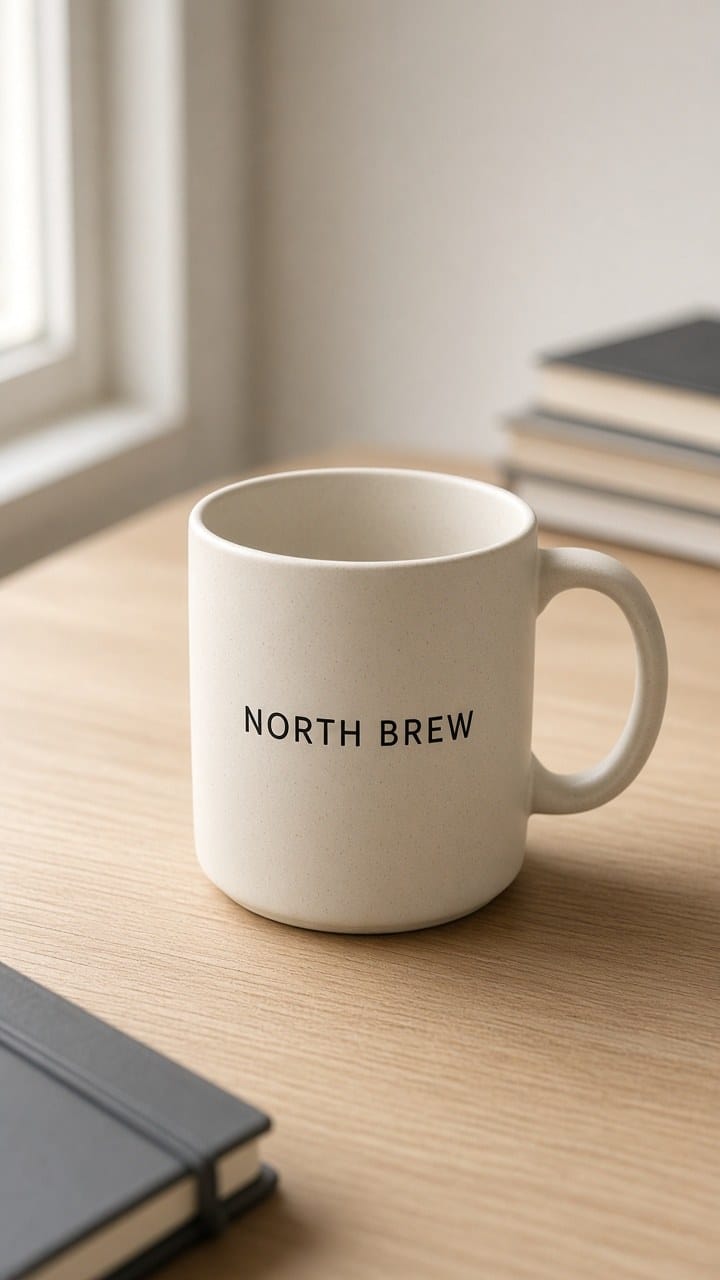
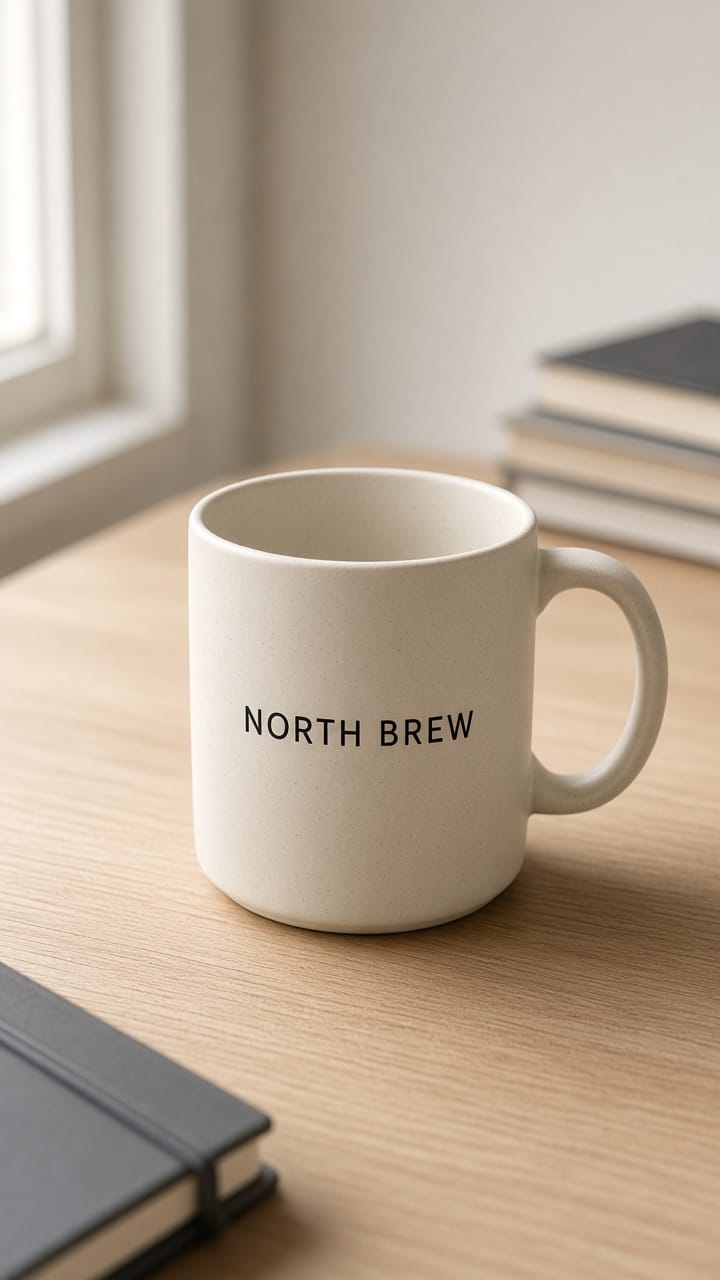 The worked example below uses this product still: a cream ceramic mug with a readable NORTH BREW label on a wood desk, soft window light from the left, books and a notebook in the background. Not a portrait. The cafe line in the opening is only a structure demo from Eidora's page—different scene, different photo.
Write a motion-and-camera brief
Formula: what stays + what moves + camera + mood.
Weak brief (same mug still)
"Make the mug cinematic, luxury product video, slow motion, 4k, trending, camera orbit, steam rising, bokeh, epic lighting, viral Reels."
Why it fails:
No lock list. The model may redesign the label, wood grain, or mug shape.
Too many moves. Orbit, steam, and "epic lighting" fight inside a few seconds.
Empty prestige words. Cinematic, luxury, viral, and epic are not camera directions.
"4k" is filler here. On Eidora's Video Generator path, MiniMax H3 outputs about 768p and Vidu Q2 about 720p. Writing "4k" does not sharpen the file.
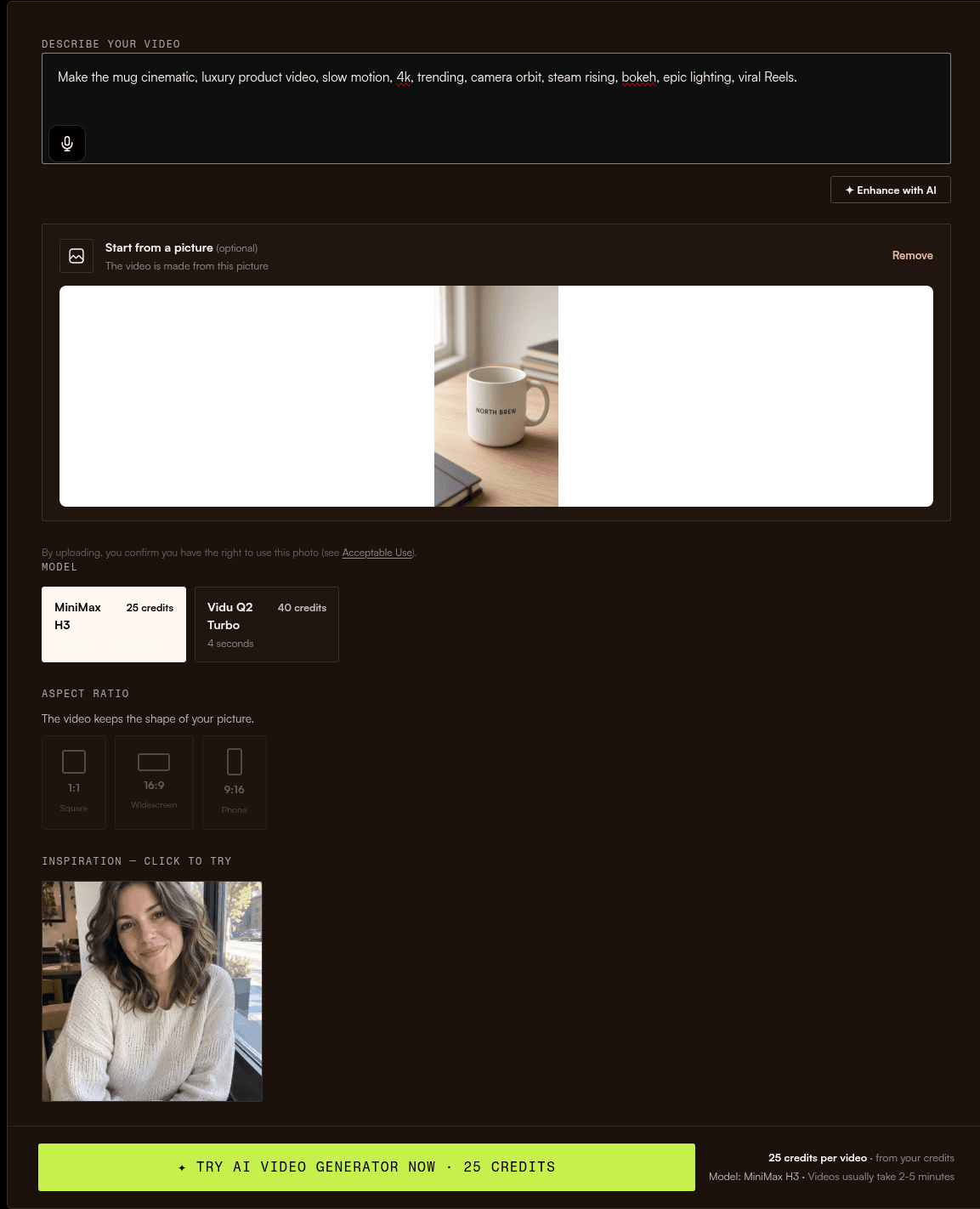 On this run the button showed 25 credits for MiniMax H3. Both takes used that path. Output kept the still's portrait shape (768×1344), about 6.5 seconds, with sound—not 4K, despite the weak brief asking for it.
Strong brief (same mug still)
"The mug and wood desk stay exactly as in the photo—same mug shape, same NORTH BREW label text, same wood grain. Thin steam rises slowly from the rim; nothing else on the desk moves. Slow push-in, about a hand's width closer by the end. Soft daylight, quiet product demo mood. No spin, no cutaways."
Stay. Mug shape, desk and wood grain, and the NORTH BREW label unchanged. A lock list, instead of "make it nice."
Move. Only thin steam from the rim. One primary subject action.
Camera. Slow push-in, limited distance. One camera move; the orbit is gone.
Mood. Soft daylight, quiet product demo. Tone without fake resolution words.
Lock list every time: product or face identity, logo or label text, background, and anything that looks wrong if reinvented.
One variable per rerun. If steam is too strong, only rewrite the steam line. Do not also switch models and add an orbit in the same retry.
On this run the button showed 25 credits for MiniMax H3. Both takes used that path. Output kept the still's portrait shape (768×1344), about 6.5 seconds, with sound—not 4K, despite the weak brief asking for it.
Strong brief (same mug still)
"The mug and wood desk stay exactly as in the photo—same mug shape, same NORTH BREW label text, same wood grain. Thin steam rises slowly from the rim; nothing else on the desk moves. Slow push-in, about a hand's width closer by the end. Soft daylight, quiet product demo mood. No spin, no cutaways."
Stay. Mug shape, desk and wood grain, and the NORTH BREW label unchanged. A lock list, instead of "make it nice."
Move. Only thin steam from the rim. One primary subject action.
Camera. Slow push-in, limited distance. One camera move; the orbit is gone.
Mood. Soft daylight, quiet product demo. Tone without fake resolution words.
Lock list every time: product or face identity, logo or label text, background, and anything that looks wrong if reinvented.
One variable per rerun. If steam is too strong, only rewrite the steam line. Do not also switch models and add an orbit in the same retry.Length, sound, and credits—decide before you generate
Match seconds, audio, and cost. Do not chase a hype ranking.
A new account starts with 6 credits, which image tools can use. On Eidora, video needs a paid plan or a credit pack. Read the button before you fire. Figures below are from the public tool, trends, and pricing pages.
(a) AI Video Generator, MiniMax H3 (default). About 6 seconds at 768p, with sound, 25 credits.
(b) AI Video Generator, Vidu Q2 (Vidu Q2 Turbo when you start from a photo). About 4 seconds at 720p, no sound, 40 credits.
(c) Most Trends makers, MiniMax H3. About 6 seconds (typical). Silent on the trends path, so you add trending audio when you post. 25 credits; the button shows the exact price on each page.
Rows (a) and (c) use the same model on different paths: your brief in Video Generator, versus a preset trend format. Trends often bake motion into the template; Video Generator expects your brief. Trends pages also say those clips are silent so you can add the trending sound yourself.
Rough pack math only: the $4.99 Starter pack has 100 credits, which covers four MiniMax H3 runs at 25 each, per the trends pages. Check pricing for what you actually bought.
Failed runs return credits automatically (usually at once, always within 24 hours). Tighten the brief; do not spam the same weak prompt.
Other video models sit at higher credit tiers on the models list. This article does not pick a winner.
Run the take: generate, judge what you asked for, change one thing
Step 1. Upload the still. Paste the strong brief—or open a Trends maker if you want a fixed viral format instead of custom motion.
Step 2. Confirm the model and the credits on the button. Generate. MiniMax H3 usually takes 2 to 5 minutes, depending on load.
Step 3. Watch with the brief open. Did the lock list hold? Only the intended move? Did the camera do the one move you asked for?
Step 4. Missed? Change one variable—steam, push-in distance, or the model for length and sound—then rerun.
Step 5. Download the MP4. Silent path (Vidu Q2, or most Trends outputs)? Add sound when you post.
Same still, MiniMax H3, mid-clip frames:
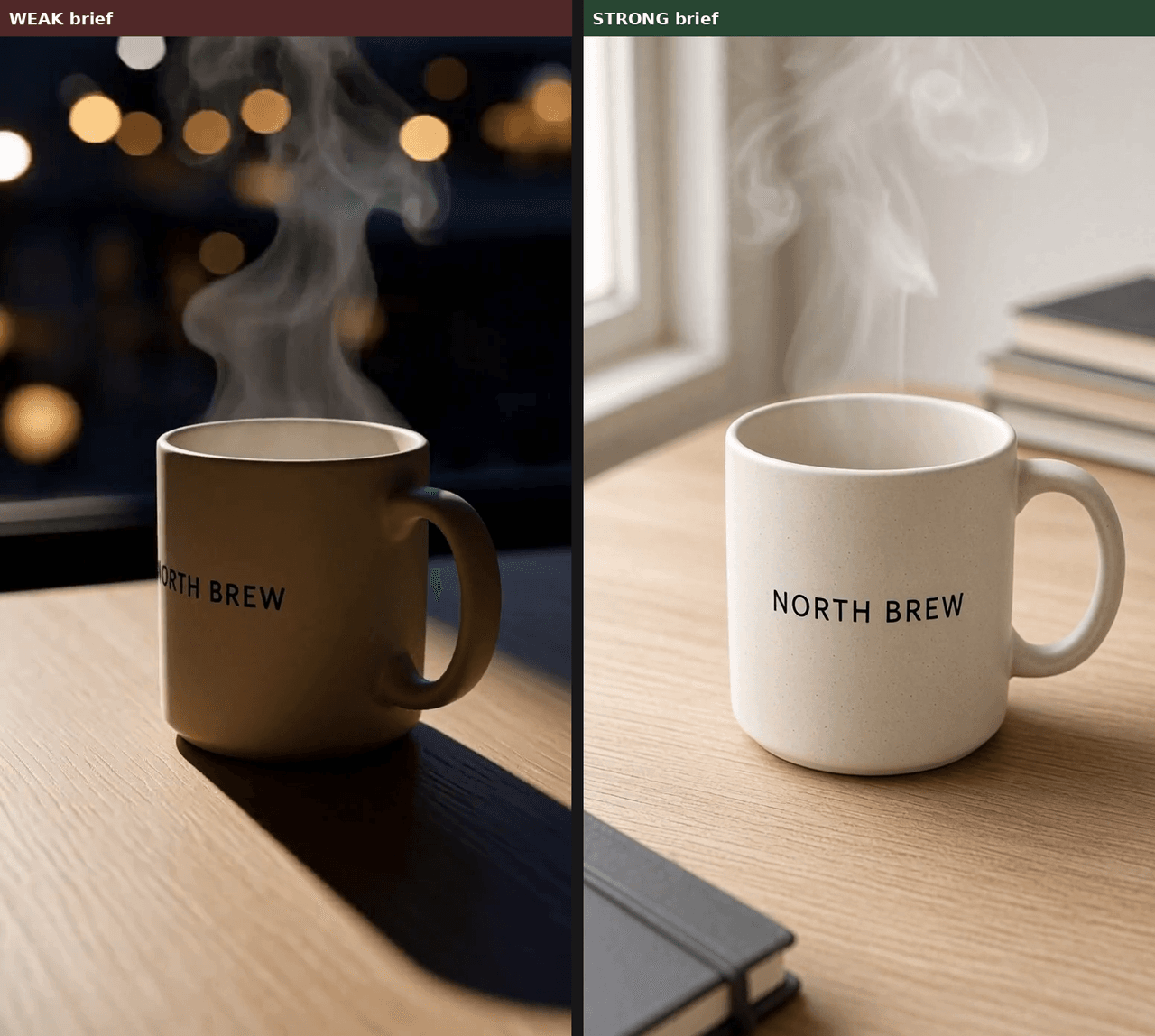
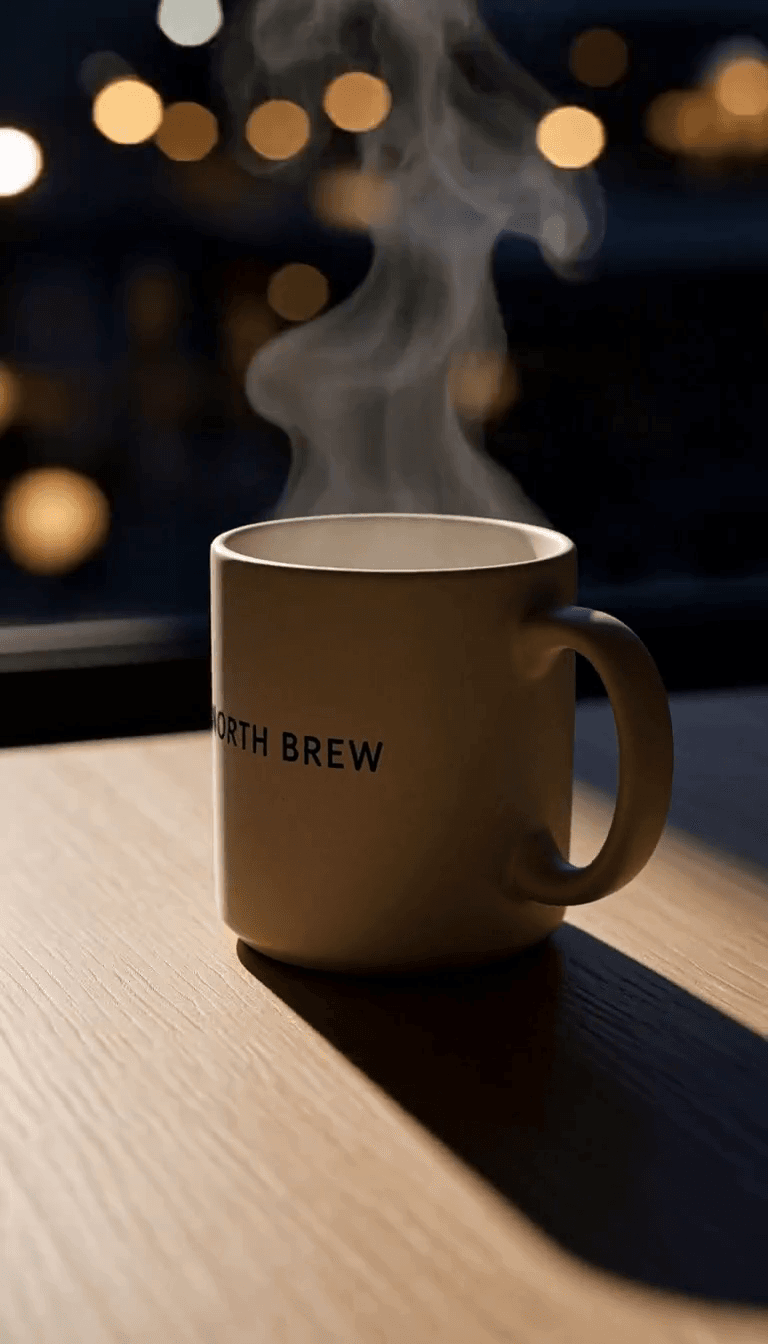
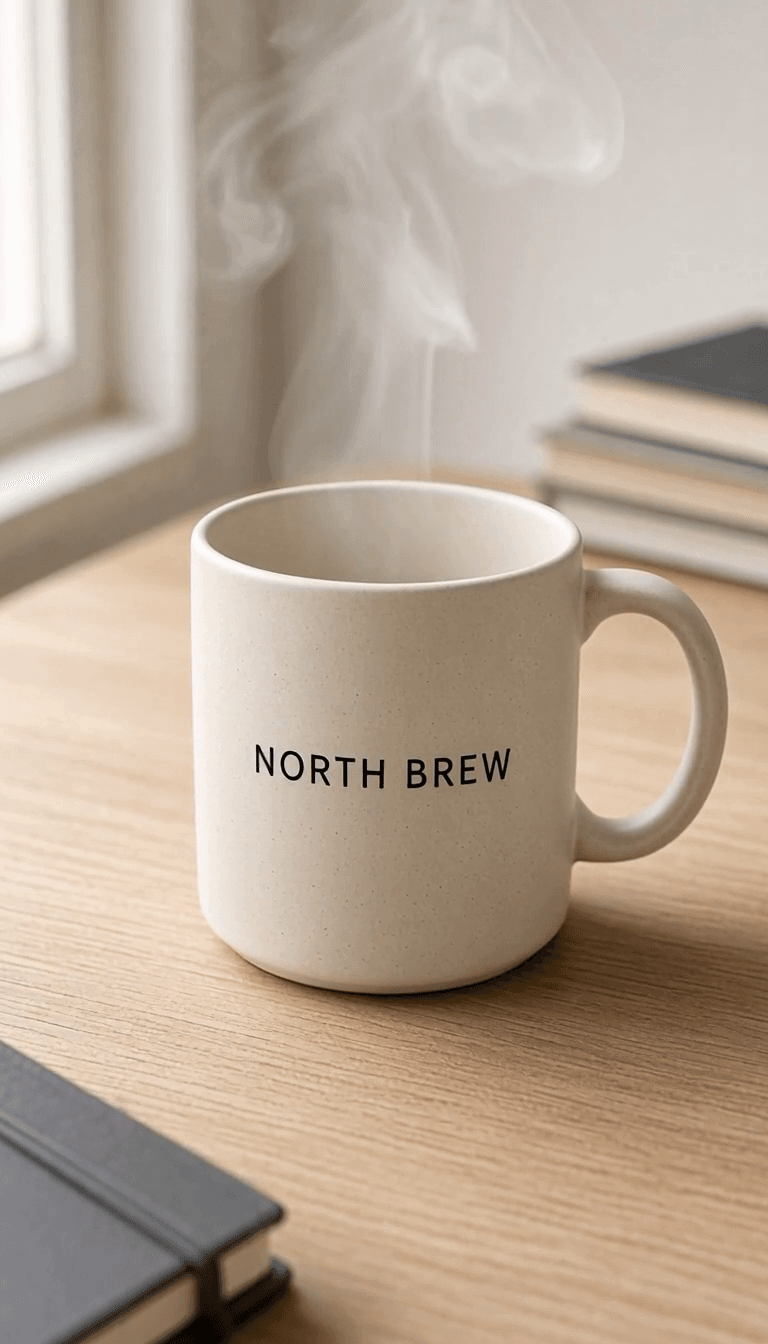 What we saw on this pair of takes (one run each—not a success-rate claim): the weak clip started on the daylight still, then orbited into a night look with heavy steam and cropped the label toward "REW." The strong clip kept the full NORTH BREW mark, wood grain, window, books, and notebook, with steam at the rim—no spin or cutaway. The camera stayed essentially locked (the brief asked for a slow push-in; it did not land). Steam also ran a bit thicker than "thin." A second pass would change one variable—camera move or steam—not both.
Upload, then hope, is not a workflow.
What we saw on this pair of takes (one run each—not a success-rate claim): the weak clip started on the daylight still, then orbited into a night look with heavy steam and cropped the label toward "REW." The strong clip kept the full NORTH BREW mark, wood grain, window, books, and notebook, with steam at the rim—no spin or cutaway. The camera stayed essentially locked (the brief asked for a slow push-in; it did not land). Steam also ran a bit thicker than "thin." A second pass would change one variable—camera move or steam—not both.
Upload, then hope, is not a workflow.When a one-photo clip is the wrong tool
Multi-shot story, timed cuts, or burned-in captions. Use an editor.
Tiny brand type must stay pixel-perfect. Motion often smears small lettering. Fix the still, or keep type in post.
Unclear rights on the input, or you have not checked third-party model and provider terms for commercial use. A plan does not, by itself, grant extra IP rights.
Paid downloads (plan or pack) are clean. Unpaid image results can carry an eidora.io watermark. Video itself needs a paid plan or a credit pack before you generate. There is no free watermarked video path in this workflow.
Checklist
• Still clear, rights OK, cropped for the platform
• Brief has stay, move, camera, and mood
• Lock list written
• One primary subject move, one primary camera move
• No "4k / viral / epic" filler
• Length, sound, and credits checked on the button
• Judge against what you asked for; rerun with one change
• Silent output? Add sound when posting
One-line template:
[Subject] stays as in the photo ([lock list]). [One motion]. [One camera move]. [Mood and light]. No [list what you forbid].