The Halloween flying witch effect, with your face
AI Witch Flying
Upload one photo and fly past the full moon on a broomstick, in a pointed hat and cloak. Get the still free, then turn it into a 6-second flying video for TikTok or Reels.
JPG, PNG or WebP up to 10 MB.
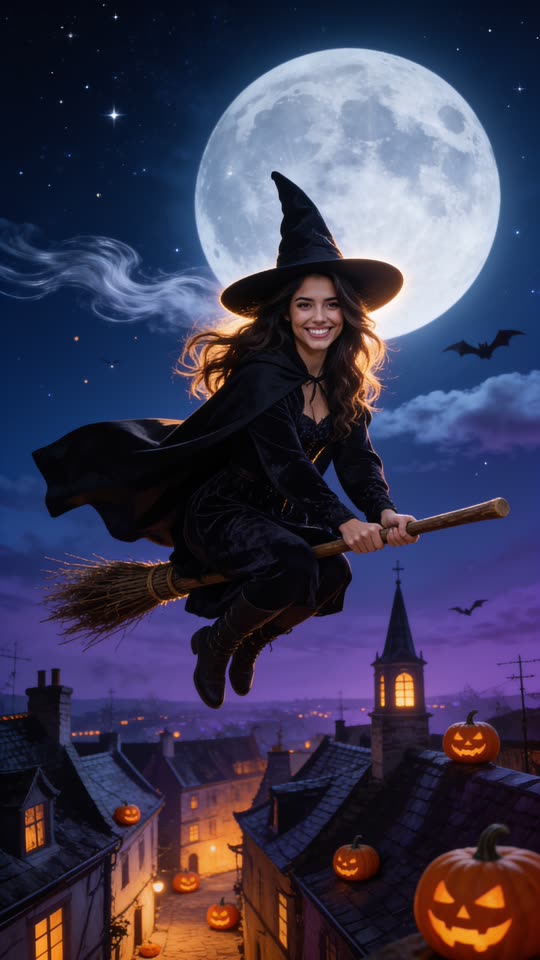
Eidora's AI Witch Flying turns one photo of you into a vertical Halloween film still of you in a pointed hat and black cloak, riding a broomstick past a full moon, made with Seedream 4.5, ByteDance's image model (4 credits, usually 20 to 60 seconds). Then a 6-second flying video on MiniMax H3 (25 credits, usually 1 to 3 minutes per video; videos need a paid plan or a credit pack: a new account can buy 40 credits for $1.99 once, enough for one video, and the one-time $4.99 Starter pack covers four videos). Sign up free for 6 credits to make the still.
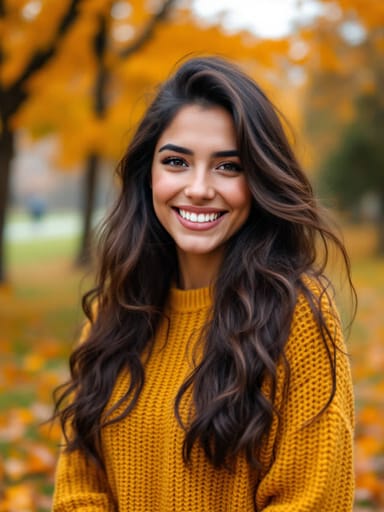 Made from this photo
From one photo to the Halloween sky
Real results made on this page. Nothing below is retouched.
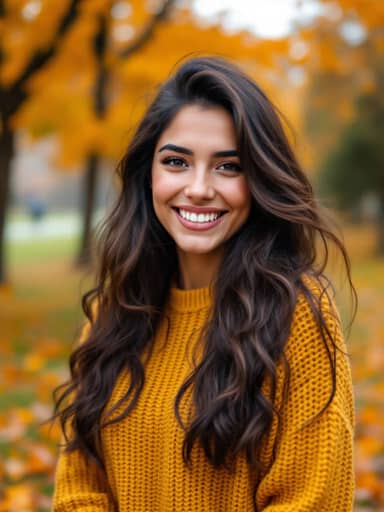 6-sec video
 6-sec video
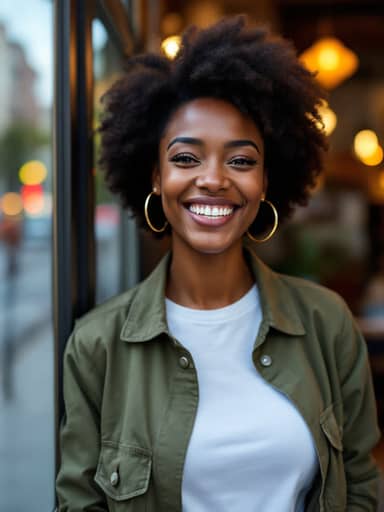 6-sec video
How to make your AI Witch Flying video
Upload a photo of yourself
A clear, well-lit photo with your face visible works best. Waist-up or full-body photos look most natural, but a selfie works too.
Create your flying witch still
Usually in 20 to 60 seconds you get a vertical Halloween frame: you in a witch hat and cloak, flying on a broomstick past the full moon. A free account comes with 6 credits.
Make it fly
Turn the still into a 6-second vertical video for 25 credits. Download it, add a spooky sound in TikTok, Reels or CapCut, and post.
What is the AI witch flying trend?
It is a Halloween effect that took off on TikTok in mid-October 2026: people upload a single photo and get a short clip of themselves dressed as a witch, riding a broomstick through the night sky. The posts are captioned "How to make this cool AI witch flying on broom effect", which is why it is searched as "ai witch flying", "flying witch ai" and "witch flying ai filter".
This page makes the same idea from your own photo: first a vertical still of you on the broomstick past a full moon, then, if you want it, a 6-second video of you flying.
More Halloween looks from your own photo, from a costume try-on to a zombie on your porch, are collected on AI Halloween Photos.
How to make the flying witch effect
Upload a clear photo of yourself above and press the button. The prompt is already written: the still keeps your face, hair and expression, adds the pointed hat, cloak and broom, and puts you over a moonlit town. When you like the still, turn it into the flying video and add a spooky sound in the app when you post.
- A prompt to start from in any image app: "Turn me into a witch flying on a wooden broomstick past a huge full moon over a sleepy old town at night, black pointed hat and long flowing cloak, glowing jack-o'-lanterns below, magical cinematic Halloween look. Keep my face exactly the same. No text."
Make your own
Upload a photo · No prompt to write · 4 credits · about 30 seconds
Create my flying witchTips for the best result
The model keeps the face from your photo, so the photo matters more than anything else.
- Use one person per photo, facing the camera, in good light.
- Skip sunglasses and hats; the witch hat comes with the costume.
- Waist-up or full-body photos give the most natural broomstick pose.
- If the face drifts, try a sharper photo taken from the front.
Not an official effect
This is an unofficial, made-up Halloween scene for fun posts. Eidora is not affiliated with TikTok, the creators who started the trend, or any film or book with a flying witch, and it uses no footage, music or characters from them.
People also search for this as
- flying witch ai
- witch flying ai filter
- flying on broom effect
- flying broom ai
- ai flying broom
AI Witch Flying questions
Is the AI witch flying effect free?
The still image runs on a free account: it starts with 6 credits; each still uses 4 credits. Videos use 25 credits and need a paid plan or a credit pack. A new account can buy 40 credits for $1.99 once, within 72 hours of signing up, enough for one video; otherwise the one-time $4.99 Starter pack (100 credits) covers four videos, with no subscription.
What will the result look like?
A vertical Halloween film still of you in a tall pointed witch hat and a long black cloak, riding an old wooden broomstick past a huge full moon, with a sleepy town, glowing pumpkins and a few bats far below. The 6-second video then shows you flying through that sky.
Does it work for men and kids too?
Yes. The costume follows the person in the photo: a witch dress, or a dark tunic, trousers and boots, always with the hat, cloak and broom. Only upload photos of children with a parent's permission.
Will it still look like me?
The still keeps your face, skin tone, hairstyle, facial hair, glasses and expression while changing the outfit and the scene. A sharp, well-lit photo taken from the front keeps the likeness best; if the face drifts, try another photo.
What kind of photo works best?
One person, face clearly visible and well lit, no sunglasses. Waist-up or full-body photos give the most natural broomstick pose. Group photos get merged into one figure, so crop to one person first.
How long does it take?
Usually 20 to 60 seconds for the still and 1 to 3 minutes for the video. Keep the tab open while the video renders.
Does the video have music?
No. Eidora videos are silent, so add a Halloween sound from TikTok's or Instagram's audio library when you post.
Can I post the result on TikTok and Instagram?
Yes. Results are vertical 9:16, the format TikTok, Reels and Shorts expect. Stills made on a free account carry a small eidora.io badge in the corner; paid plans and credit-pack holders get clean results, and videos never carry it.
What happens to my photo?
Your upload and results are kept privately in your history so you can download them again; only you can open them. To make the result, the photo is sent to the AI model provider that renders it. We don't sell your content or use it to train AI models.
Your photo, the AI Witch Flying way. About 30 seconds for the still.
Create my flying witch